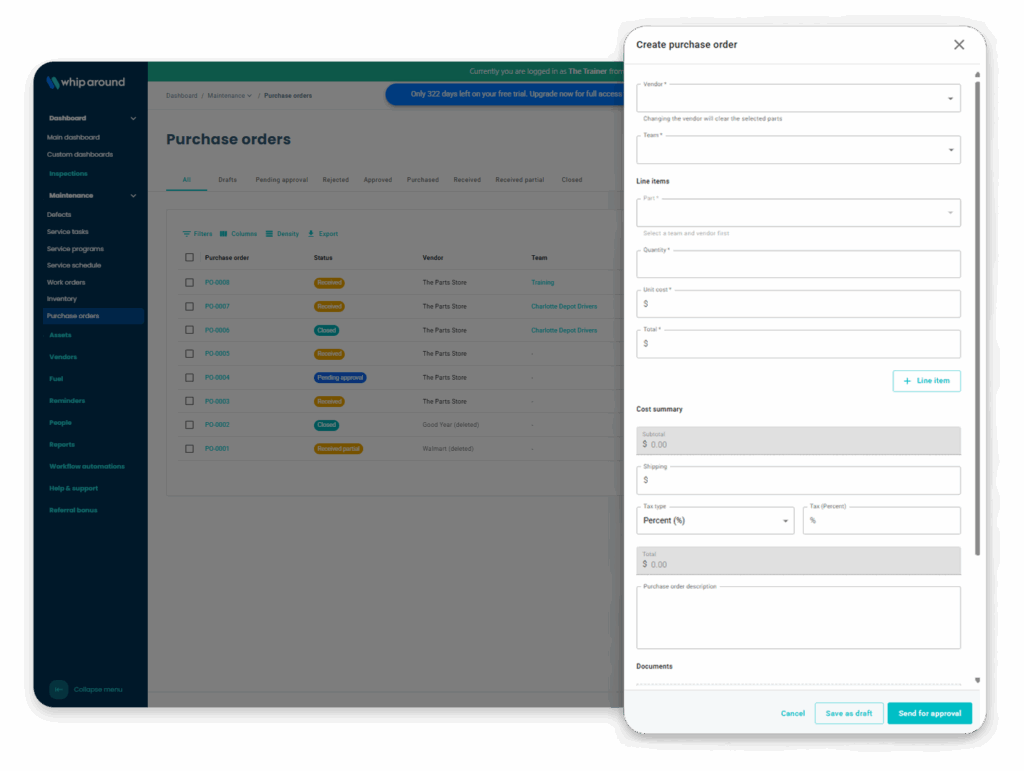
Choose a parts vendor and delivery location, then add inventory items, quantities, and costs.
Approve
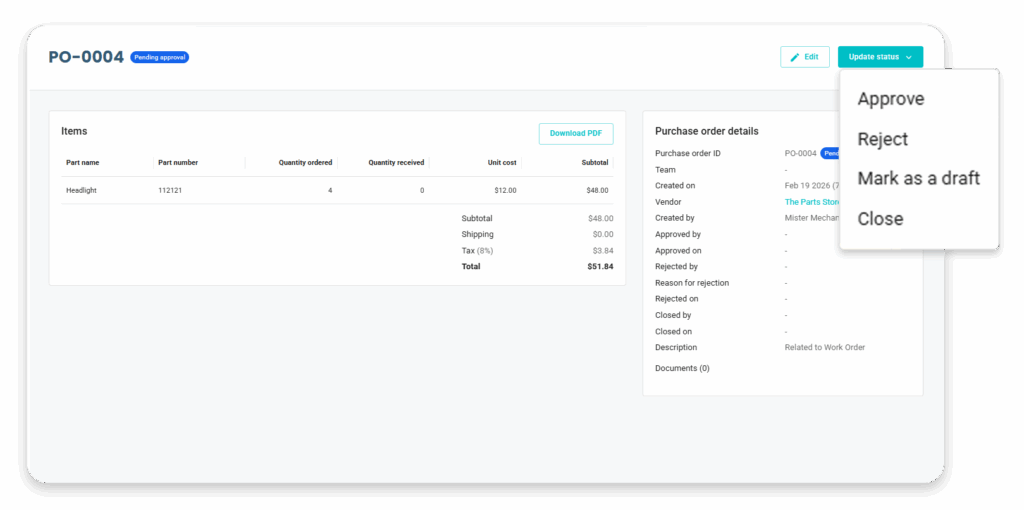
Send the order to an approver and track whether it’s approved or rejected.
Purchase
Mark the approved order as purchased when it’s placed.
Receive
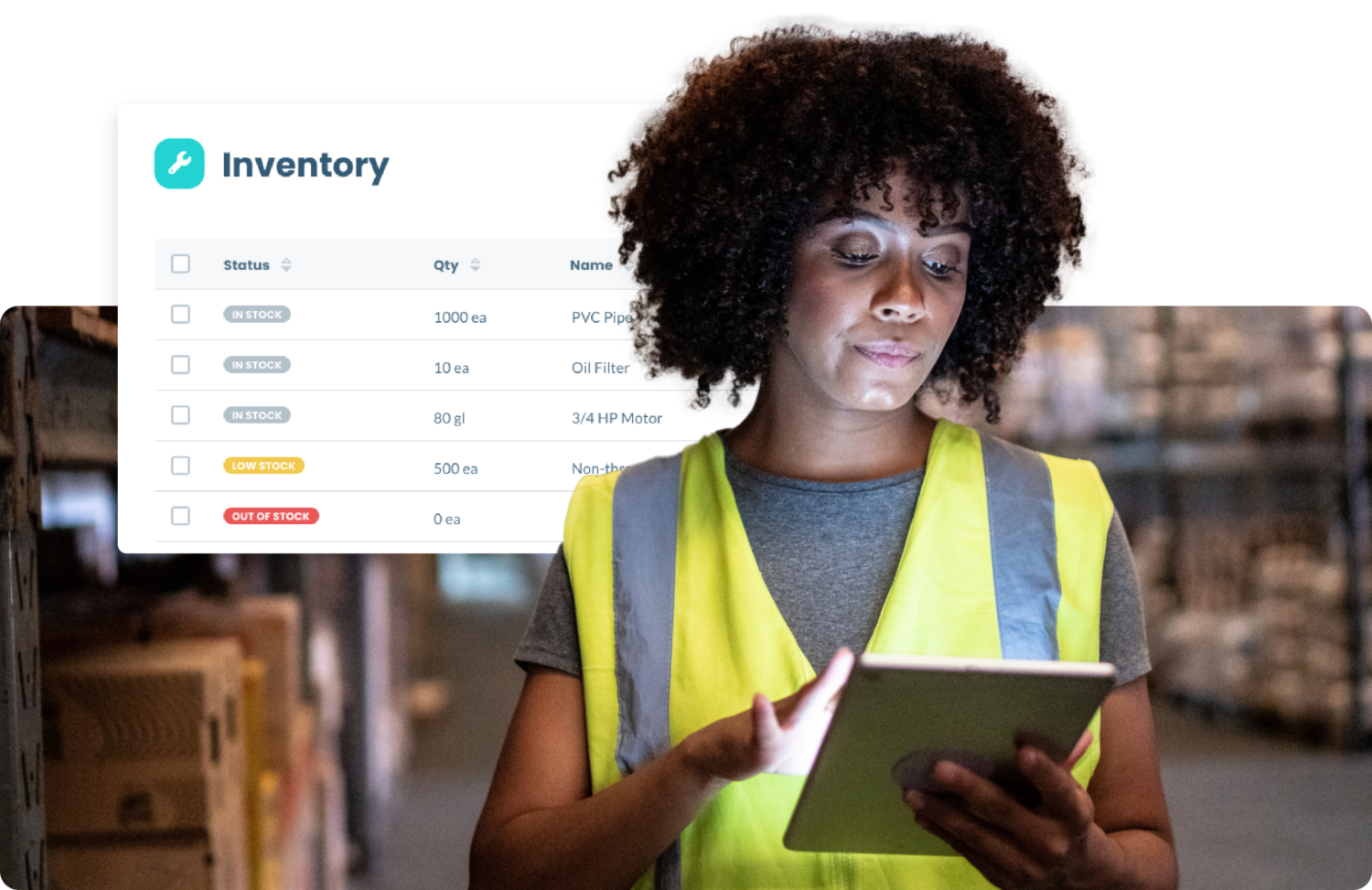
Record the quantities delivered. Whip Around updates inventory as items are received.
Order details together
Track Parts, Costs, and Vendors on Every Purchase Order
Select parts already in your inventory, add quantities and costs, and include shipping, tax, documents, or a description. The vendor and delivery location stay with the order.
Clear sign-off
Track Approvals for Every Purchase
Choose an approver when you create a purchase order. Authorized users can approve or reject it, and Whip Around records the reason for any rejection. Drafts let your team finish an order later.
Keep inventory current
Update Inventory as Parts Arrive
Receive the quantities that actually arrive, even when a delivery is incomplete. Whip Around marks the order as partially received and updates inventory for the items received; you can add the remaining items later.
Order status at a glance
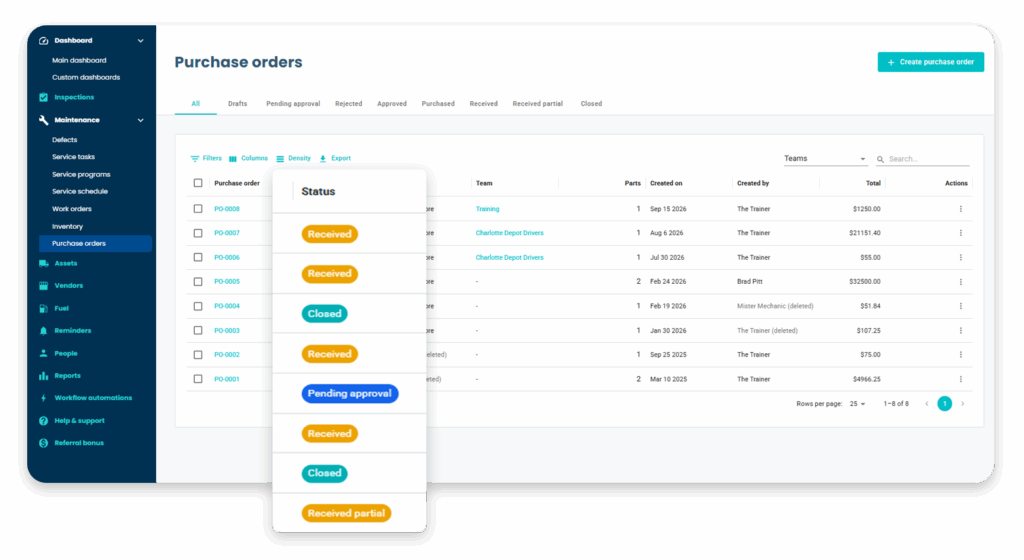
Track Every Fleet Purchase Order from Request to Receipt
Filter orders by status, including draft, pending approval, purchased, partially received, received, and closed. Purchase order reports help your team review orders across those stages.
See Fleet Purchase Orders in Action
Walk through how Whip Around helps your team create, approve, and receive parts orders while keeping inventory current.
Frequently Asked Questions About Fleet Purchase Orders for Parts
What can I order with Whip Around purchase orders?
Purchase orders are used to add parts to inventory. The items must exist in your inventory before you add them to an order.
Can someone approve a purchase order before it is placed?
Yes. You can choose an approver, and users with the right permissions can approve or reject an order before it's marked as purchased.
What happens when only part of an order arrives?
Record the quantity received for each item. Whip Around updates inventory for those items and marks the order as partially received until the rest is recorded.
Can I include shipping and tax?
Yes. Purchase orders can include shipping costs and tax as a percentage or fixed amount.
Which plan includes purchase orders?
Purchase orders are part of Whip Around's Pro subscription.