Features

Whip Around Features

Connected Tools for Fleet Inspections, Maintenance, and Compliance

Manage inspections, repairs, costs, documents, and fleet data in one place. Explore the features that help your drivers, shop, safety team, and managers keep every asset moving.

4.8/5 star rating across 4,500+ reviews

Trusted by leading brands around the globe.

Whip Around features

Explore the Tools That Keep Your Fleet Ready to Work

Start with the work you want to improve. Whip Around connects the details across these tools, so your team can follow an issue from the field through the shop and into the asset record.

AI Fleet Maintenance

FleetAI reviews inspection photos for possible damage and gaps, lets managers turn verified recommendations into defects, and uses rules to route follow-up or mark assets out of service under defined conditions. It also extracts details from supported invoices and receipts to reduce manual entry.

Explore FleetAI ➞

Fleet Document Management

Keep licenses, permits, insurance documents, and other important records accessible to the people who need them. Whip Around Wallet organizes documents and tracks expiration dates so teams can follow up before a renewal is missed.

Explore Wallet ➞

Fuel Management

Bring fuel usage and costs into view alongside the rest of your fleet activity. Track consumption and spending trends across vehicles and drivers, spot possible waste or unusual charges, and connect supported fuel cards for a clearer cost picture.

Explore Fuel Management ➞

Work Orders

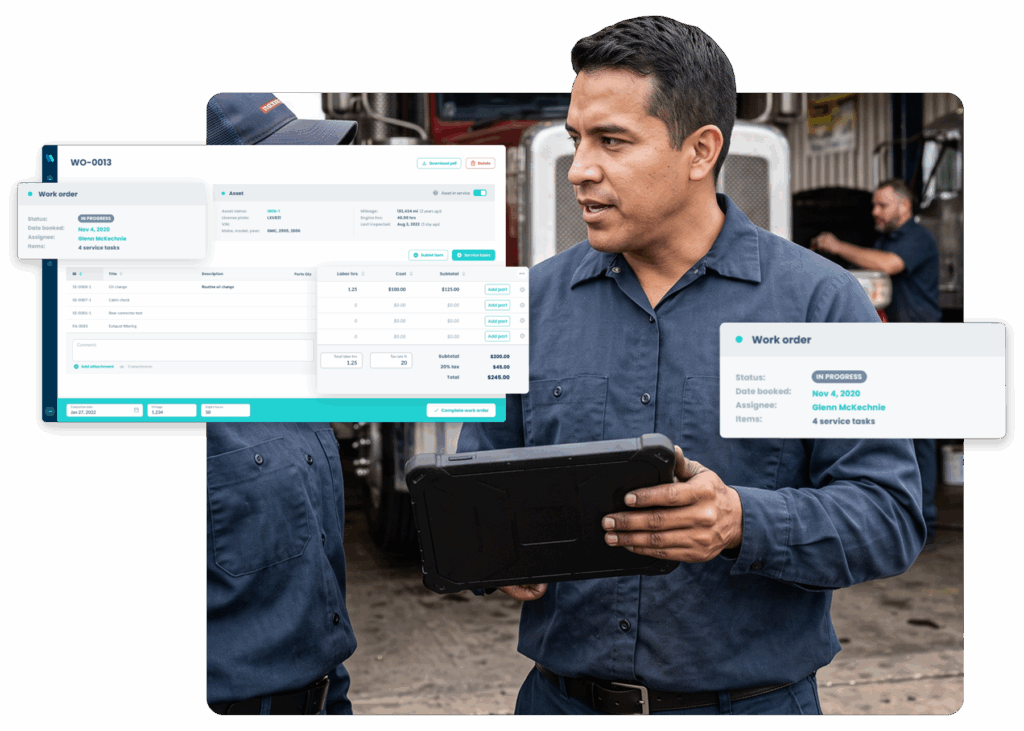
Create digital work orders from reported defects or automatically when scheduled service is due. Assign an in-house mechanic or external vendor, track progress and parts, capture sign-off in the app, and keep completed work in the asset’s maintenance history.

Explore Work Orders ➞

Workflow Automation

Move work from inspection to repair with fewer manual handoffs. FleetAI rules can respond to selected events, such as assigning a defect after a failed inspection or marking an asset out of service when defined conditions are met.

Explore Workflow Automation ➞

Intelligent Document Scanning

Upload supported vendor invoices or fuel receipts, then review the asset, line-item, and cost details FleetAI extracts before saving a work order or cost record. With Wallet, scanning can also capture fields from supported driver and vehicle documents for storage and expiration tracking.

Explore Intelligent Document Scanning ➞

Quotes and Invoices

Build quotes and invoices from the work order details your shop already tracks. Shop Ops carries asset, labor, parts, and cost information into those records, making it easier to estimate, bill, or allocate a repair without entering the job twice.

Explore Quotes & Invoices ➞

Purchase Orders

Keep parts purchasing connected to inventory. Create purchase orders for existing inventory items, send them for approval, track their status, and record partial or complete deliveries so stock reflects the quantities received.

Explore Purchase Orders ➞

Fleet Asset Management

Manage more than trucks in one place. Organize vehicles, trailers, heavy equipment, tools, and other physical assets; tailor inspections and service schedules to what each one needs; and keep its condition and maintenance history in view.

Explore Fleet Asset Management ➞

Fleet User Management

Give drivers, mechanics, managers, and other team members access to the work they need to do. Manage users, teams, and permissions as your fleet grows so inspection, repair, and document workflows reach the right people.

Explore Fleet User Management ➞

Integrations

Keep the fleet tools you already use. Whip Around connects with supported telematics, fuel card, shop, and communication platforms to bring relevant data and alerts into inspection and maintenance workflows.

Explore Integrations ➞

Reporting

Turn daily activity into a clearer view of fleet performance. Review inspection completion, open defects, maintenance work, and other trends so managers can spot what needs attention across assets and teams.

Explore Reporting ➞

One asset, one clear history

Follow the Work from First Finding to Final Record

A driver flags an issue during an inspection. The team reviews the finding, creates a work order, and checks which parts are available or on order. A mechanic completes the job, while labor, documents, and costs stay tied to the asset. Reports then help managers see recurring issues and plan the next service. Connected data and automation can help move information between steps.

Whether your teams work at one site or across many locations, they can see what was reported, what is still open, and what has been done.

Real fleet results

How Fleets Turn Inspection Findings Into Action

Built around your operation

Choose the Features Your Fleet Needs

Tell us how your team handles inspections, maintenance, documents, and reporting today. We’ll show you the Whip Around features that support those workflows.

Frequently Asked Questions About Whip Around Features

What features does Whip Around offer?

Whip Around brings together fleet inspections and maintenance with work orders, document management, fuel tracking, asset records, integrations, reporting, and user permissions. Shop Ops adds shop scheduling, labor, approvals, and billing. FleetAI adds AI-assisted inspections, workflow automation, and document scanning.

Can Whip Around track assets beyond vehicles?

Yes. Teams can create inspection and maintenance workflows for trailers, equipment, tools, facilities, and other physical assets alongside vehicles.

Do all features come with every plan?

Feature availability varies by plan and add-on. Shop Ops requires Pro. Some FleetAI capabilities are available with Standard, while scanning documents into Work Orders requires Pro and scanning documents for Wallet requires the Wallet add-on. Confirm the right setup with the Whip Around team.

Can Whip Around connect to our existing systems?

Yes. Whip Around supports integrations with telematics, fuel card, shop management, and communication tools. See the full list of Whip Around’s integrations here.