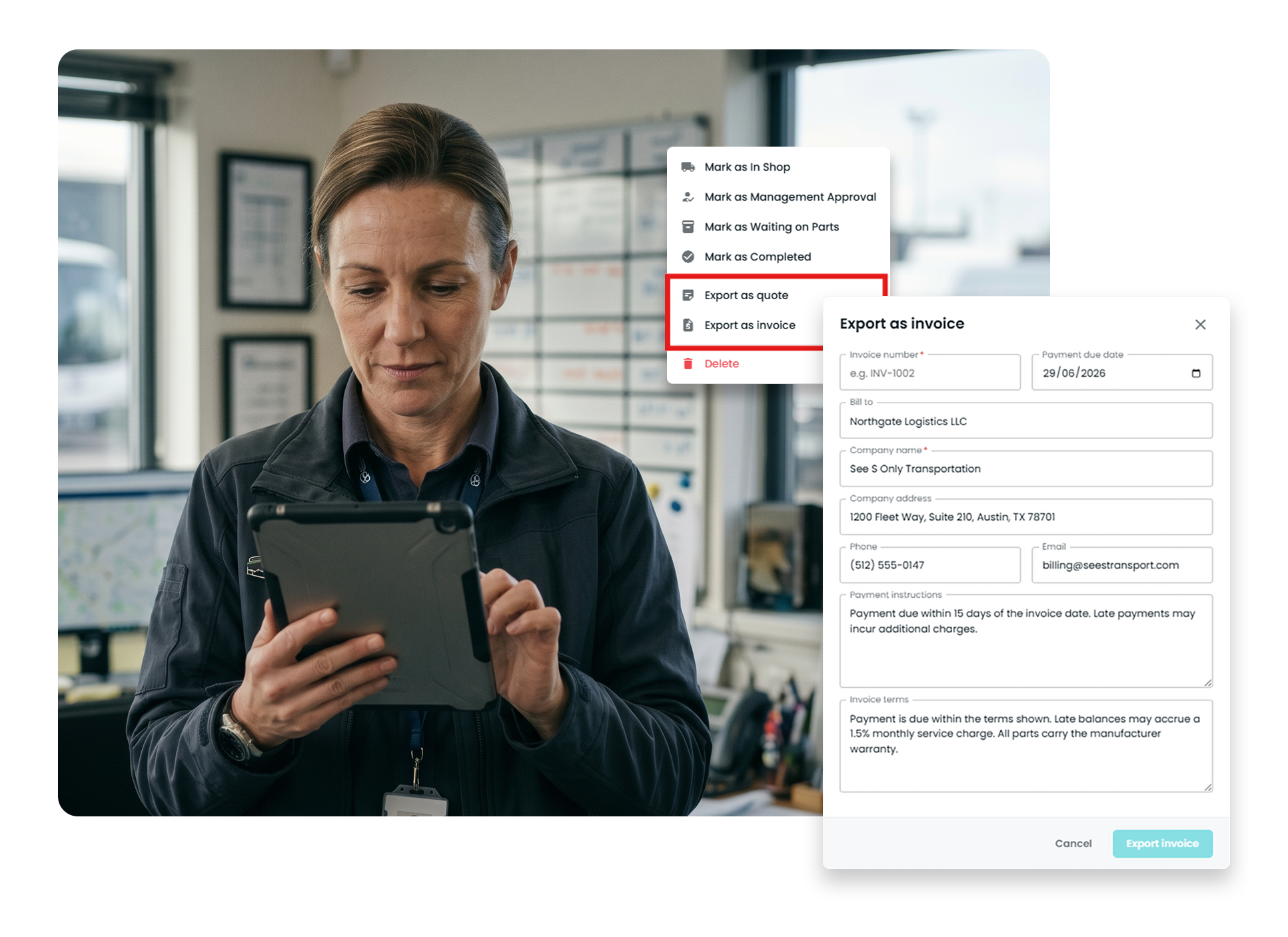
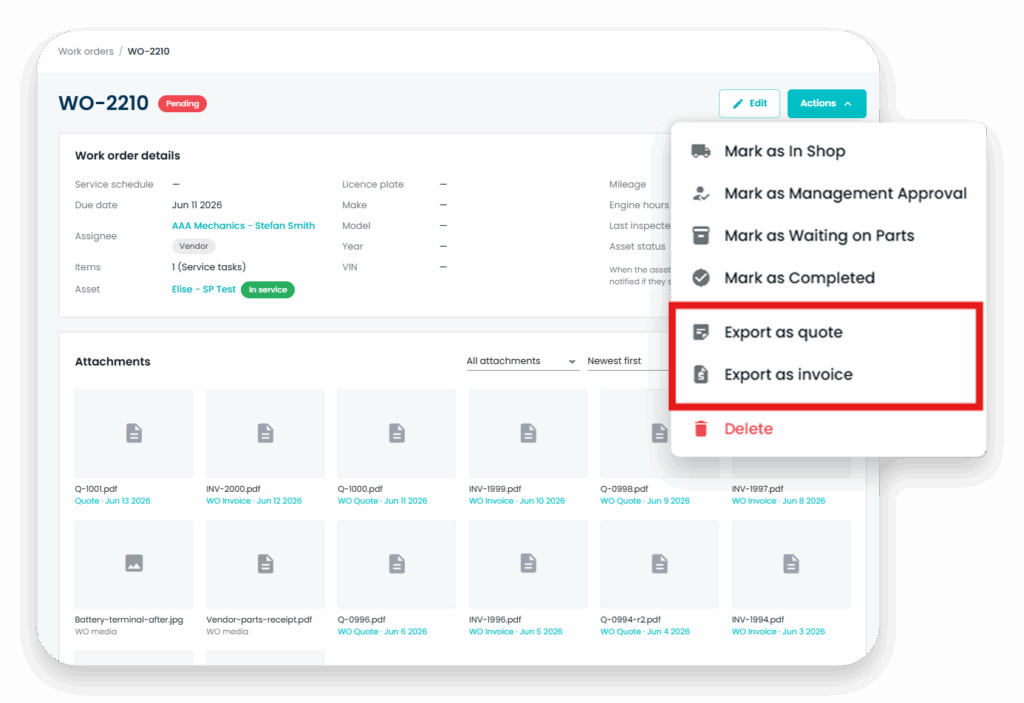
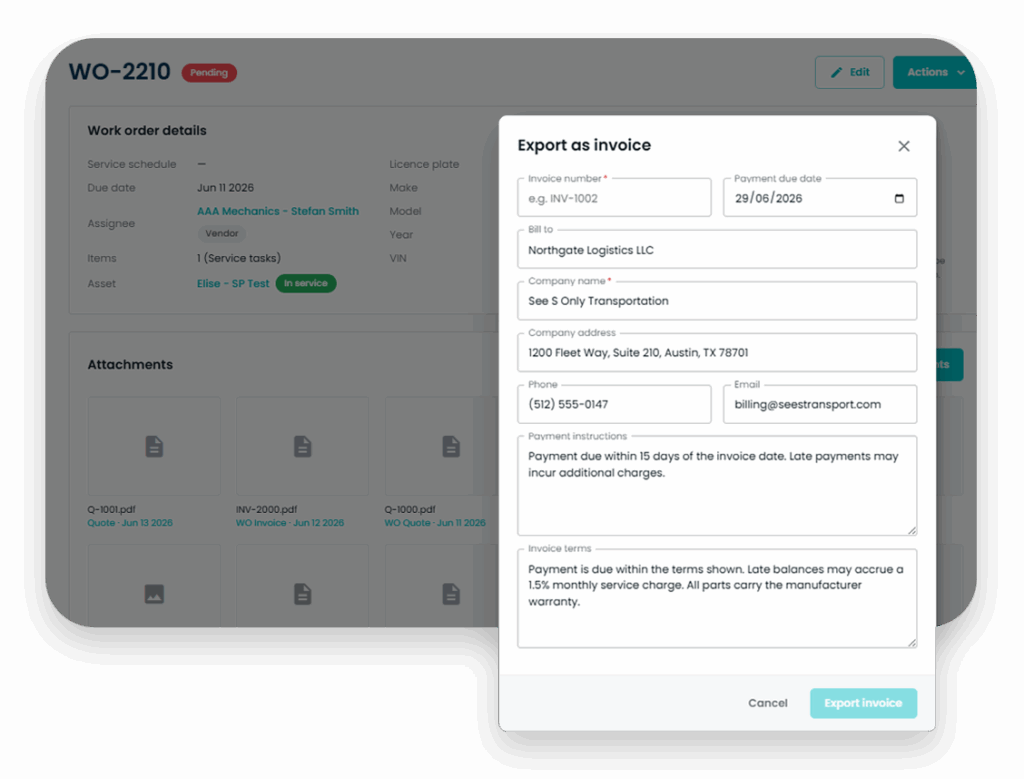
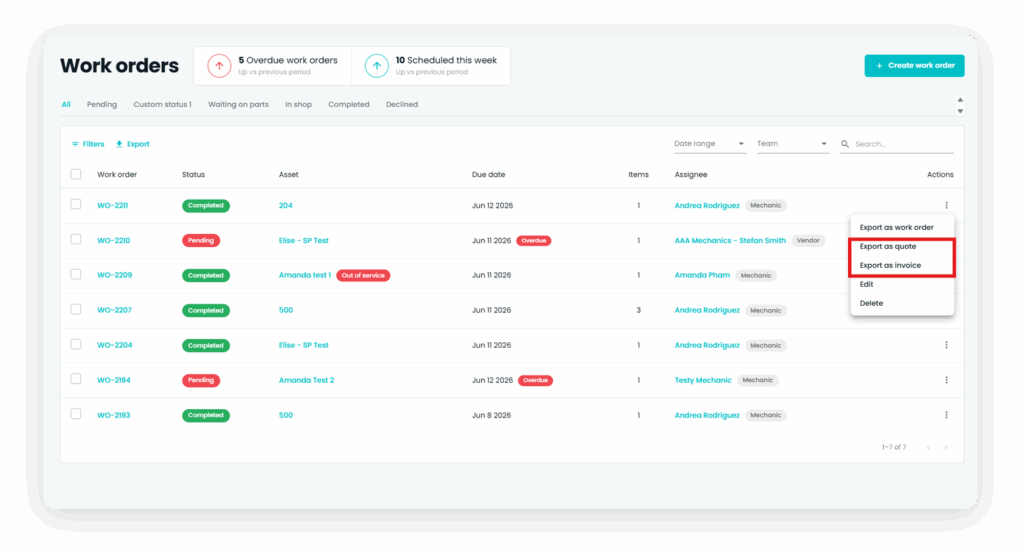
For fleet shops and maintenance teams, Whip Around’s Shop Ops brings fleet invoice management software into the work order process. Asset details, labor, parts, and costs carry over into quotes and invoices, so you enter the job once.
When job details live in one place and billing lives in another, your team has to rebuild the story of a repair. Shop Ops keeps quotes and invoices connected to work orders, so you can see the work behind the cost.
Record the asset, labor, parts, and costs on a work order.
Build the quote
Use those details to prepare a quote without starting from a blank document.
Create the invoice
Carry the job information into an invoice when it’s time to bill or allocate the cost.
The work order retains the related labor, approval, and billing history for reporting.
Clear repair estimates
Fleet Quote Management Software Built on Work Orders
Pull asset information, labor, parts, and costs from the work order into a quote. Give the person reviewing the job a clearer picture of what the repair involves.
Fewer billing steps
Fleet Invoicing Software That Turns Work Orders into Invoices
Generate an invoice from work order information instead of copying line items into another tool. Keep the job details together when working with an external vendor or allocating costs between departments.
Labor, parts, and approvals
See the Details Behind Every Charge
Shop Ops tracks technician time against work order line items and keeps parts and costs with the job. Approval rules by cost, asset, or team create a record of who reviewed the work.
Frequently Asked Questions about Quotes & Invoices
Can I use work order details to create quotes and invoices?
Yes. With Shop Ops, you can use the asset, labor, parts, and cost details recorded on a work order to create a quote or invoice without entering the same information twice.
How does fleet vehicle maintenance invoicing software track labor?
With Shop Ops, mechanics can clock time against work order line items so labor time and cost remain with the job.
Can we use invoices for work between departments?
Yes. Quotes and invoices can help teams allocate maintenance costs between departments or coordinate work with external vendors.
Are quotes and invoices included in every plan?
Quotes and invoices are part of the Shop Ops add-on, which requires a Pro subscription. See Shop Ops details.
Is this a replacement for accounting software?
No. Shop Ops handles quotes and invoices tied to work orders, repair costs, and labor. It doesn't replace your accounting system. Book a demo to see how it fits your accounting process.