

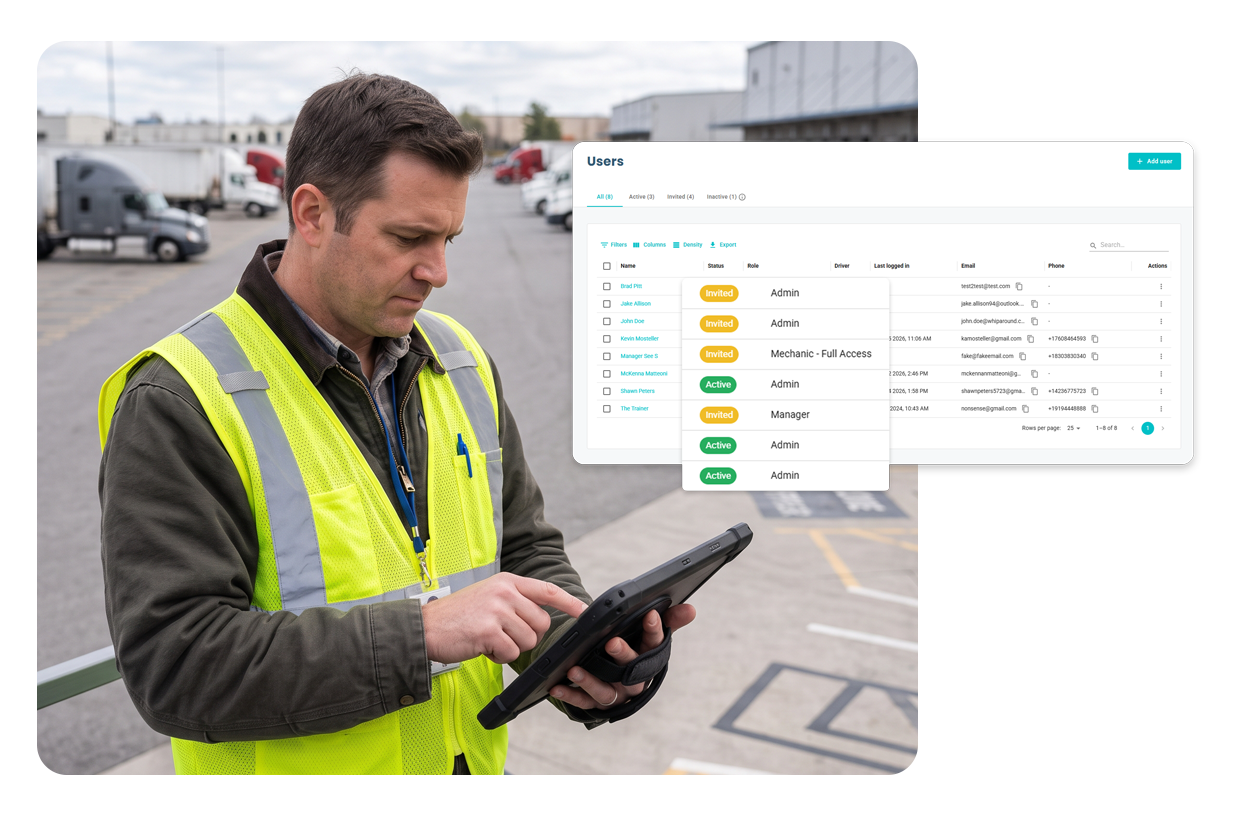
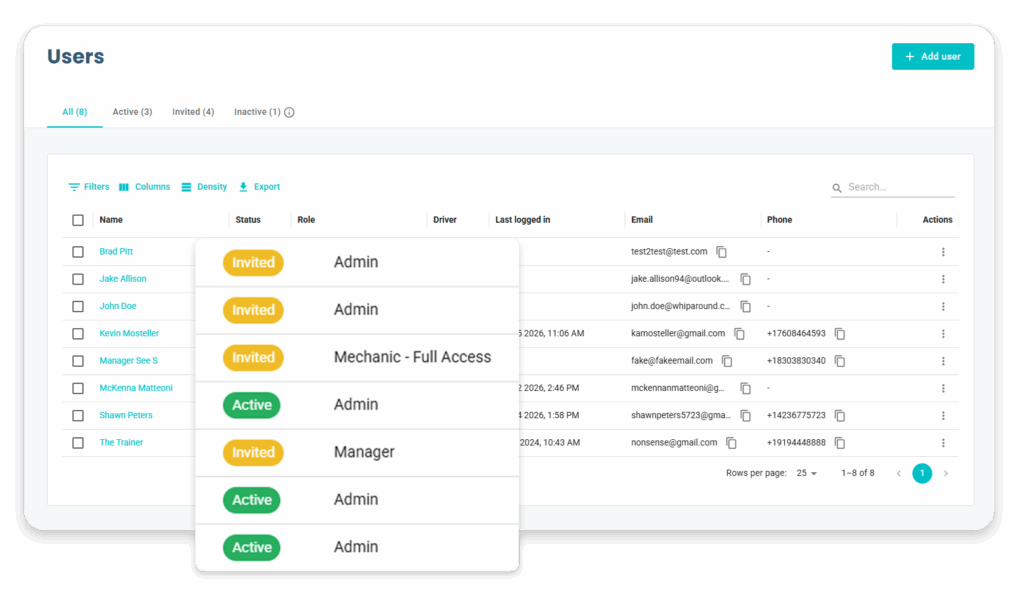

Fleet user management gives drivers, shop teams, and managers access to the assets and work relevant to their roles. Admins control who can create, edit, or export records and update access as responsibilities change.
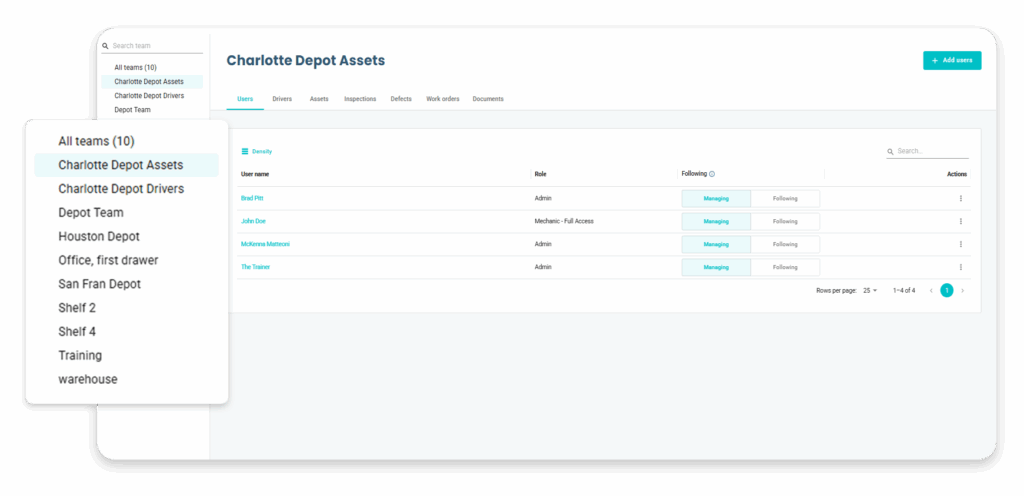
Assign users to the teams they manage or follow so they can find relevant assets, inspections, defects, and work orders. Team Managers and Mechanics see their assigned teams, while admins retain an account-wide view.
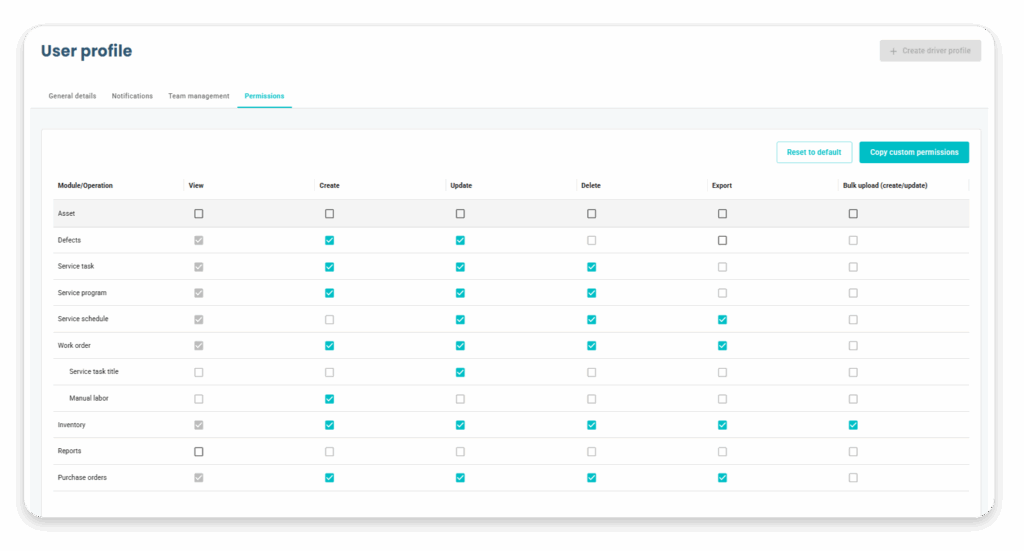
Admins can adjust eligible users’ permissions to create, edit, delete, import, or export records by module. Set access to fit each person’s responsibilities, then copy a permission set to users with similar roles.
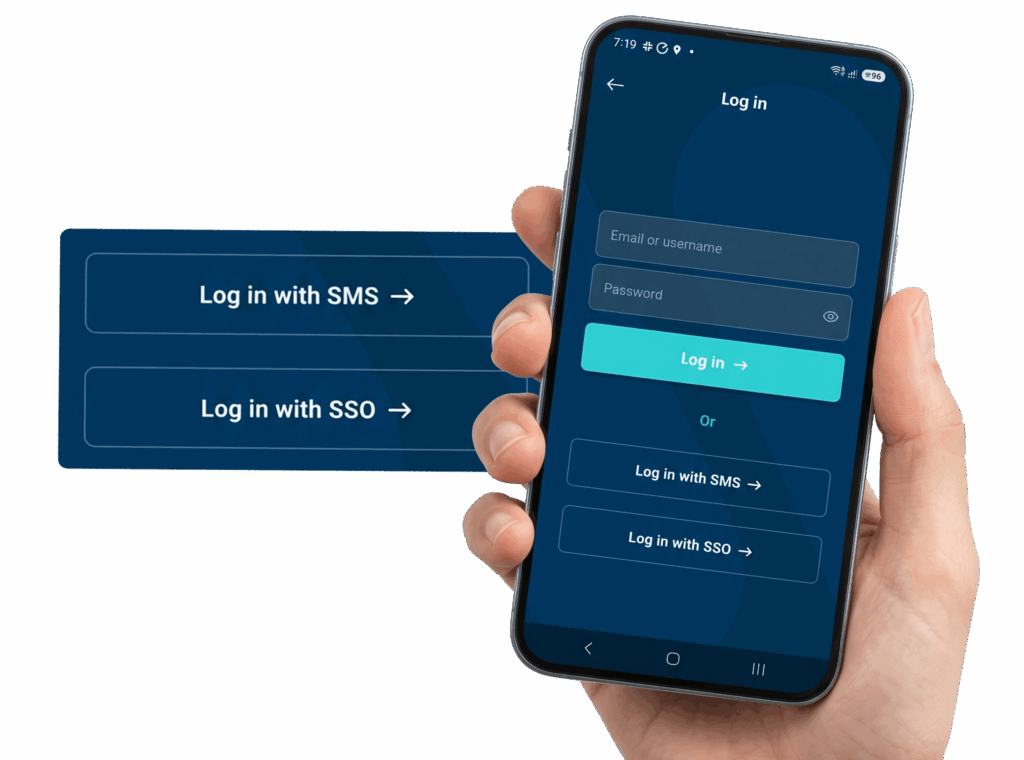
Connect Whip Around to Microsoft Entra ID so employees sign in with company credentials on web and mobile devices. Drivers can also sign in with an SMS link, Face ID, fingerprint, or a username and password.
Invite users, assign roles and teams, and update access as responsibilities change. Admins can copy team assignments and custom permissions to give people with similar jobs consistent access.
A driver reports a defect during an inspection. A manager reviews it and assigns the repair. A mechanic records the completed work. Roles and team access keep each step connected to the asset history.
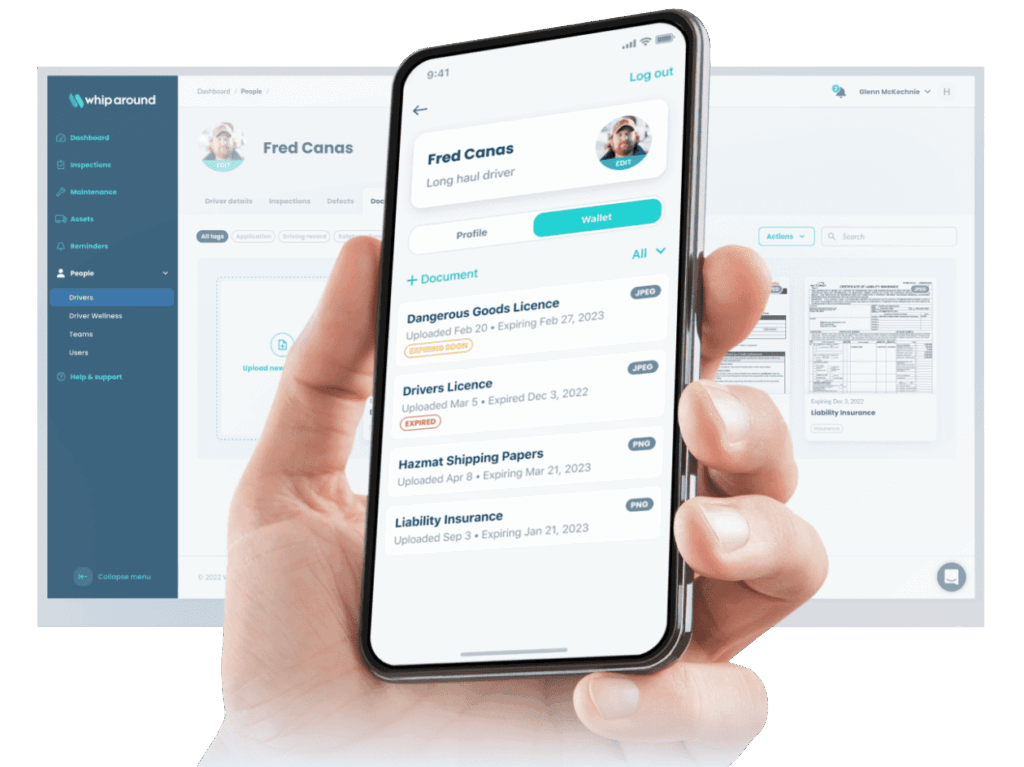
Drivers store personal documents in the mobile app’s Driver Wallet, set expiry dates, and get reminders 30 or 60 days before a document expires. Only the driver, their manager, and admins can view personal documents.
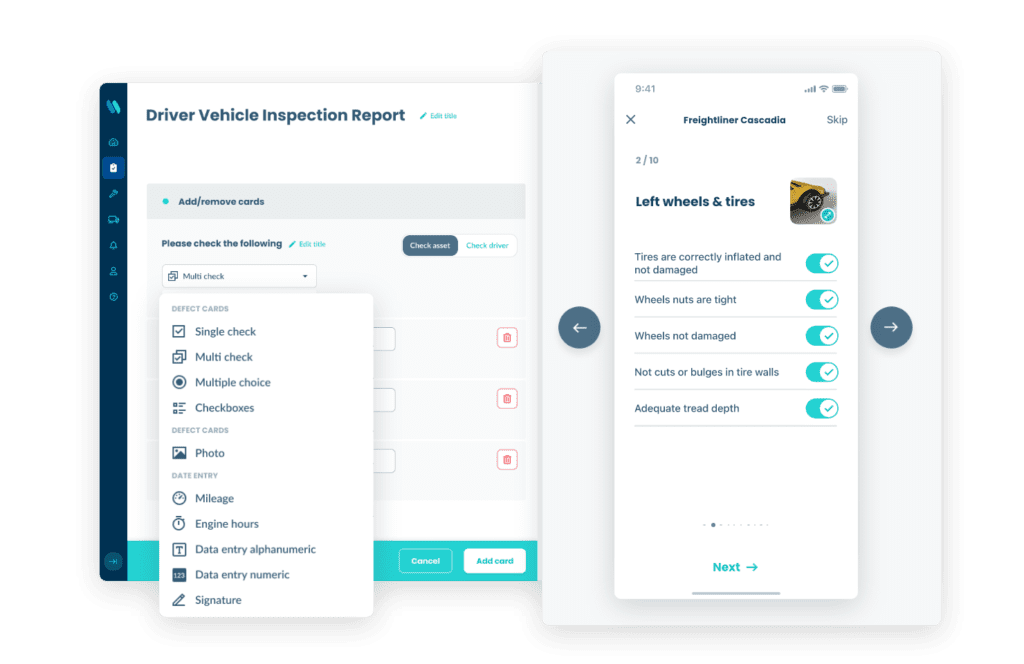
Create reminders that prompt drivers to complete inspections on schedule. Choose which drivers receive each reminder, the days it goes out, and the time it’s sent. Drivers get a push notification on their phone.
"We're getting pulled over less. The few times that they have pulled us over, we're always passing with flying colors."

"We started to see our maintenance costs come down, resulting in over 30% per month in savings after putting Whip Around into play."

"Whip Around has been great for us and so easy to use. We are in the middle of a DOT audit and Whip Around helps us track everything SO MUCH BETTER than before!"

"There is no more transferring paperwork through four facilities, this literally saves us tens of thousands of dollars a year."
"We had a couple of accidents and a failed DOT inspection, so it was a snowball that was starting to develop that we needed to get control of."
Show us how your drivers, shops, and locations are organized. We’ll walk through how Whip Around can set up team access and permissions around the work each person needs to do.
Fleet user management software helps admins add users and control which fleet data and actions each person can access. Whip Around uses roles, team assignments, and custom permissions to organize access for drivers, managers, mechanics, and other team members.
Whip Around provides Admin, Manager, Team Manager, Mechanic, and Driver roles. Their default access differs, and account owners or admins can customize permissions for eligible roles.
Team assignments determine which teams a user manages or follows. Team Managers and Mechanics see the assets and work connected to their assigned teams. Managers and Admins have broader account visibility, so choose the role and team settings that fit each person’s responsibilities.
Digital DVIR workflows can require an inspection before dispatch, so a vehicle with no completed inspection doesn't leave the yard, and real-time alerts flag any missed or incomplete checks immediately. Required fields and photo verification cut down on pencil-whipping, so inspections are thorough enough to actually catch issues like the brake and tire defects that drive a large share of out-of-service violations. When a defect is reported, Whip Around tracks it through a three-point chain: the driver reports it, the mechanic confirms the repair, and the next driver verifies it, so problems don't quietly turn into violations. Driver Wallet keeps CDLs, medical cards, and certifications centralized with expiration alerts, addressing the documentation gaps that account for a large share of driver fitness violations. And because every record is digitized and time-stamped, fleets can pull proof of inspection and maintenance history in minutes instead of hours when an audit happens.
Yes. Admins can adjust supported permissions for eligible users, including actions such as creating, updating, deleting, exporting, and bulk importing records. The available modules depend on the user's role.
Yes. Admins can copy custom permissions to other eligible users and copy team assignments for people who need the same team access. Review the recipient settings before applying a copy, since it can replace their existing permissions.
No. The Driver role is for mobile inspections of assigned assets. Managers use broader fleet views and tools. A person who needs both a manager account and mobile inspection access can also be given a driver profile.
Yes. Admins can upload drivers from a CSV template that includes each driver's name, app username, password, team, and mobile phone. Drivers then get an SMS invite to download the app and sign in.
Yes. Whip Around supports SSO through Microsoft Entra ID for web and mobile sign-in. Your company admin sets up the integration before employees can use it.
Solutions
Resources
Industries
Connect With Us
© 2026. Whip Around. All Rights Reserved. Privacy Policy | Terms of Service





