AI Inspections Pro

AI Inspections Pro: AI-Powered Fleet Inspection Software

AI Inspections Pro adds a layer of automated verification to every inspection, scanning photos for damage, confirming required steps were completed, and cross-checking driver notes against photos to flag any inconsistencies.

Here’s what AI Inspections Pro customers across industries have achieved so far:

7M

inspection photos reviewed with AI

2M

quality gaps identified

~19K+

hours of manual review saved

~8+

hours of avoided downtime

AI-Powered Photo Review That Catches Fleet Damage Early

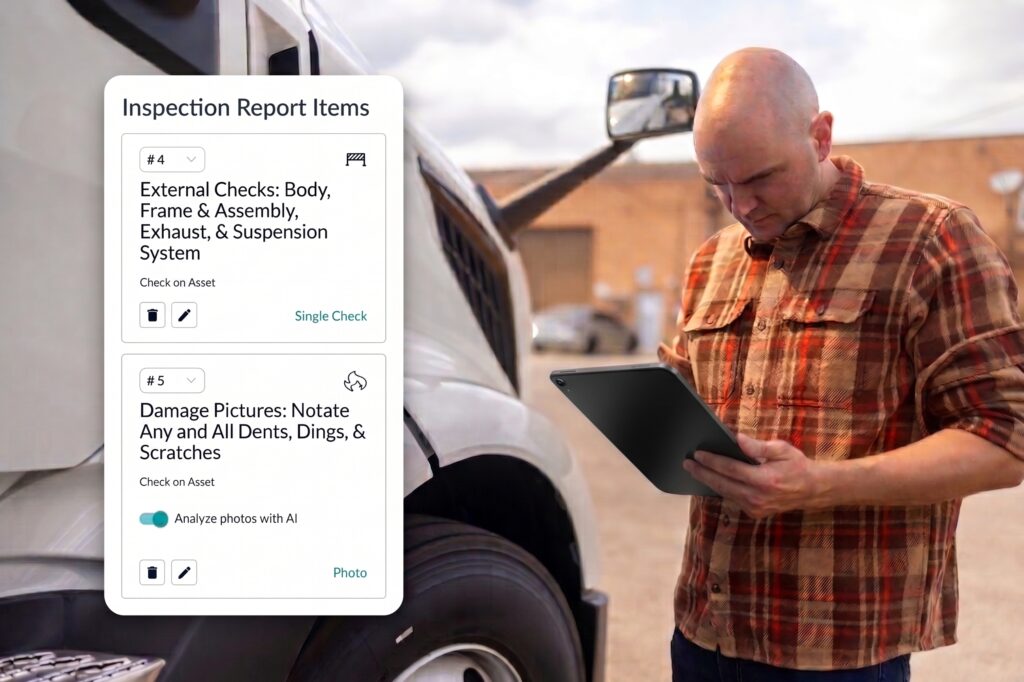
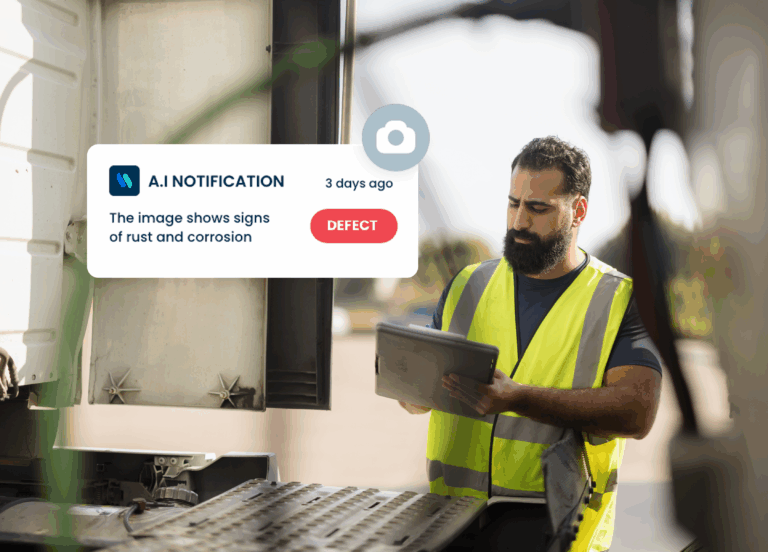
Drivers capture photo evidence on every inspection, but a manager can’t manually study every image across a large fleet. AI Inspections Pro scans the photo checks you’ve selected for visible signs of damage: scratches, dents, rust, leaks.

AI Recommendations, Built Right Into Each Inspection

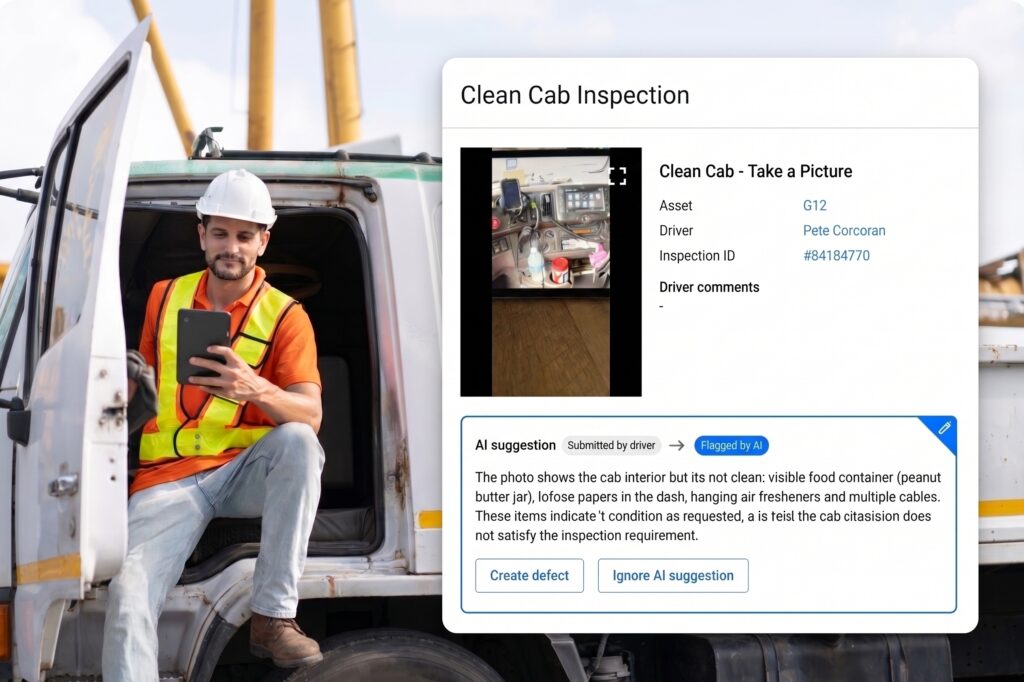
When AI flags something worth a closer look, the recommendation appears right alongside that inspection’s own photos and notes, not in a separate AI tool or dashboard. Managers review recommendations in the same place they already review every inspection, and can look back across past inspections to find what needs attention.

Control Exactly Which Inspection Photos AI Reviews

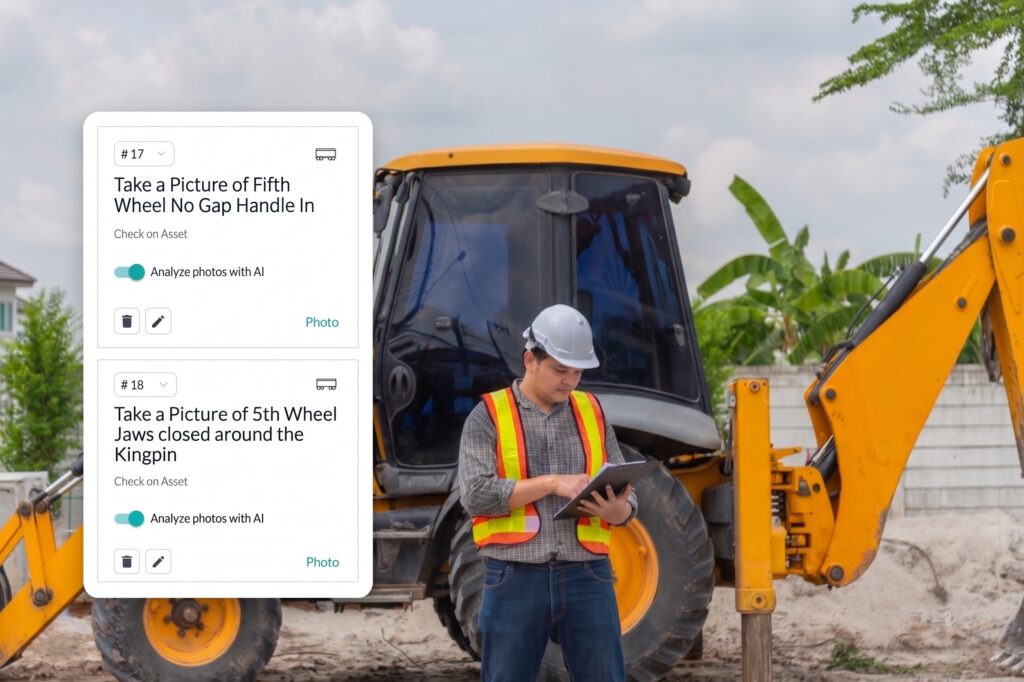
Not every photo check on an inspection carries the same risk, and reviewing all of them equally can bury the recommendations that matter most. AI Inspections Pro lets admins select exactly which photo cards get reviewed: tires, brakes, hydraulic lines, coupling points, or whatever matters most for a given asset type.

Automatic DVIR Compliance Verification for Every Inspection

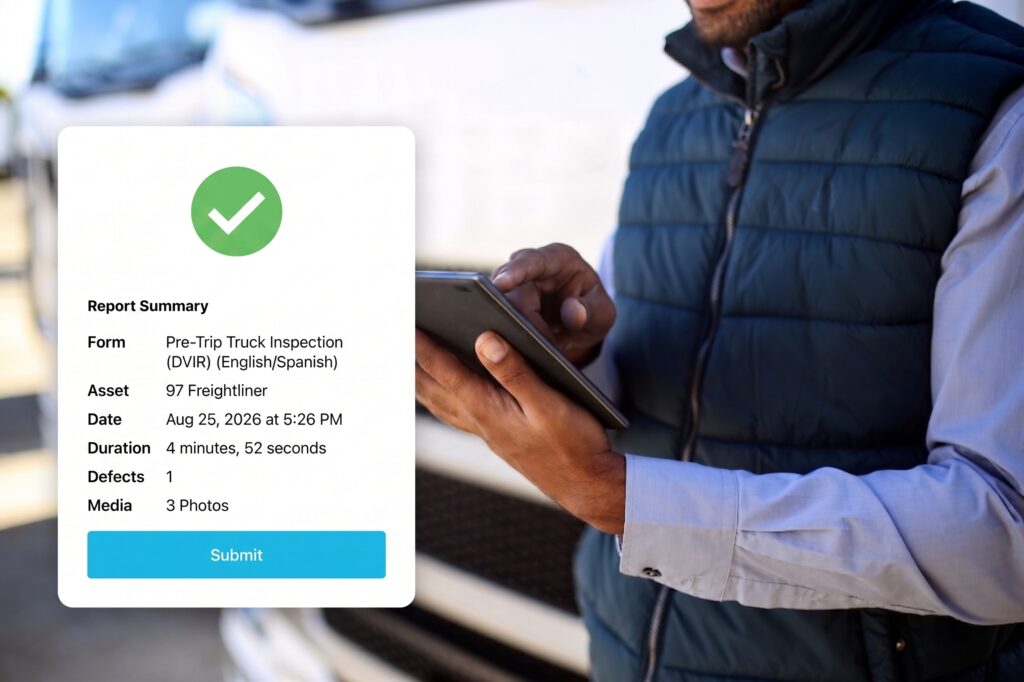
An incomplete inspection is a compliance gap waiting to surface at the worst possible time. AI Inspections Pro verifies that operators completed every required inspection step and checks DVIR submissions for compliance, flagging incomplete inspections before they’re finalized.

Cross-Check Driver Notes Against Inspection Photos Automatically

A driver marking “no issues” while a photo shows visible damage is exactly the kind of gap that’s easy to miss and hard to explain later. AI Inspections Pro compares driver comments against the attached photos, and automatically flags a mismatch for review when what’s written doesn’t match what the picture shows.

Turn a Recommendation Into a Tracked Defect in a Couple of Clicks

A recommendation only creates value if it leads somewhere. Managers can create a defect directly from an AI recommendation, with relevant details already populated, connecting the finding straight to Whip Around’s defect and maintenance workflow instead of leaving it in a photo.

How AI Inspections Pro Works

  • Capture. Drivers and operators complete their inspection as usual, photographing the required checks in the Whip Around mobile app.
  • AI photo review. AI scans the photo, looking for visible signs of damage like scratches, dents, rust, or leaks.
  • Verification. AI confirms every required inspection step was completed and checks the submission for DVIR compliance.
  • Cross-check. AI compares driver notes against the photos and flags any mismatch between what was written and what the image shows.
  • Recommendation. A recommendation appears directly in Inspection History for a manager to review.
  • Action. The manager creates a defect straight from the recommendation, with relevant details already populated, or ignores it if no action is needed.

See AI Inspections in Action

What customers are saying about Whip Around

Don’t take it from us. See what managers and operators are saying about Whip Around’s inspection and maintenance solution.

See What AI Inspections Pro Can Do for Your Fleet

Your team is already capturing valuable inspection data every day. AI Inspections Pro helps you get more out of it, from more relevant recommendations to a faster path from finding to resolving defects.

Frequently Asked Questions About AI Inspections Pro

What is AI Inspections Pro?

AI Inspections Pro is a Whip Around feature that adds a second layer of AI-powered review to the photos captured during fleet inspections, scanning selected photo checks for signs of damage and surfacing recommendations for a manager to evaluate. It works alongside Whip Around's digital inspection and DVIR platform rather than replacing any part of the existing inspection process.

Does AI Inspections Pro replace a manager's review of fleet inspections?

No, AI Inspections Pro adds a second layer of review across selected inspection photos and generates recommendations, but a manager or mechanic always decides whether a recommendation warrants action. The AI does not pass or fail a vehicle on its own.

Which inspection photos does AI Inspections Pro analyze?

AI Inspections Pro only analyzes the photo checks an admin selects, such as tires, brakes, hydraulic lines, or body panels. This lets fleets concentrate AI review on the checks most likely to reveal a real issue instead of reviewing every photo equally.

Where do AI Inspections Pro recommendations appear?

AI Inspections Pro recommendations appear directly inside Inspection History, alongside the rest of each inspection record. Managers review recommendations in the same place they already review inspections, without a separate AI dashboard to check.

Can an AI recommendation become a tracked defect or work order?

Yes, a manager can create a defect directly from an AI recommendation, with relevant details already populated. This connects the finding straight to Whip Around's defect and maintenance workflow instead of leaving it in a photo.

Does AI Inspections Pro help with FMCSA and DOT compliance?

AI Inspections Pro strengthens DVIR compliance by verifying that operators completed every required inspection step and flagging incomplete submissions before they're finalized. It builds on Whip Around's FMCSA-compliant inspection forms and audit-ready recordkeeping, helping fleets show not just that an inspection was submitted, but what it found and how the organization responded.

Do drivers need to do anything differently to use AI Inspections Pro?

No, drivers complete inspections exactly as they do today, capturing photos and notes in the Whip Around mobile app. AI Inspections Pro runs in the background on the photo checks an admin has selected, so there's no additional step for drivers to learn.

Does AI Inspections Pro work for fleets with multiple locations?

Yes, AI Inspections Pro is built for multi-location fleets. General Insulation, for example, uses Whip Around's inspection platform across 46 locations and more than 100 box trucks, with recommendations from every location surfacing in the same Inspection History view.

How is AI Inspections Pro different from relying on telematics alone?

Telematics data like fault codes and engine hours can't see visible, physical damage (a cracked mirror, a leaking hose, a dent from a backing incident). AI Inspections Pro reviews the photo evidence drivers already capture during inspections, adding a layer of visual review that telematics alone doesn't provide, and it can be used alongside a fleet's existing telematics integrations.

Does AI Inspections Pro integrate with telematics providers like Samsara, Geotab, or Motive?

AI Inspections Pro is part of Whip Around's inspection platform, which integrates with telematics providers including Geotab, Samsara, and Motive to combine inspection findings with fault codes, engine hours, and location data in one maintenance workflow.