







Fleet Shop Maintenance Software – Shop Ops

Shop Management Software

Labor Tracking, Scheduling, and Billing Built Into Your Work Orders

No more tracking labor by memory or planning with a whiteboard. Shop Ops tracks technician labor cost and time estimates, manages the work order board, calendar, and scheduler, routes approvals by cost or asset, and turns jobs into quotes and invoices.

4.8/5 star rating across 4,500+ reviews

Why Shop Ops

Everything You Need for One Connected Maintenance Workflow

Whip Around Maintenance keeps a record of the work. As fleet shop maintenance software, Shop Ops helps you plan the work, control its cost, and cut the manual busywork around it, so your shop gets exactly the depth it needs instead of a bundle of features you’ll never use. If your team also wants AI-driven inspections and automation, FleetAI is available as a separate add-on.

What’s Included in Shop Ops

Everything Included in Shop Management Software for Fleets

Technician Clock-In / Clock-Out

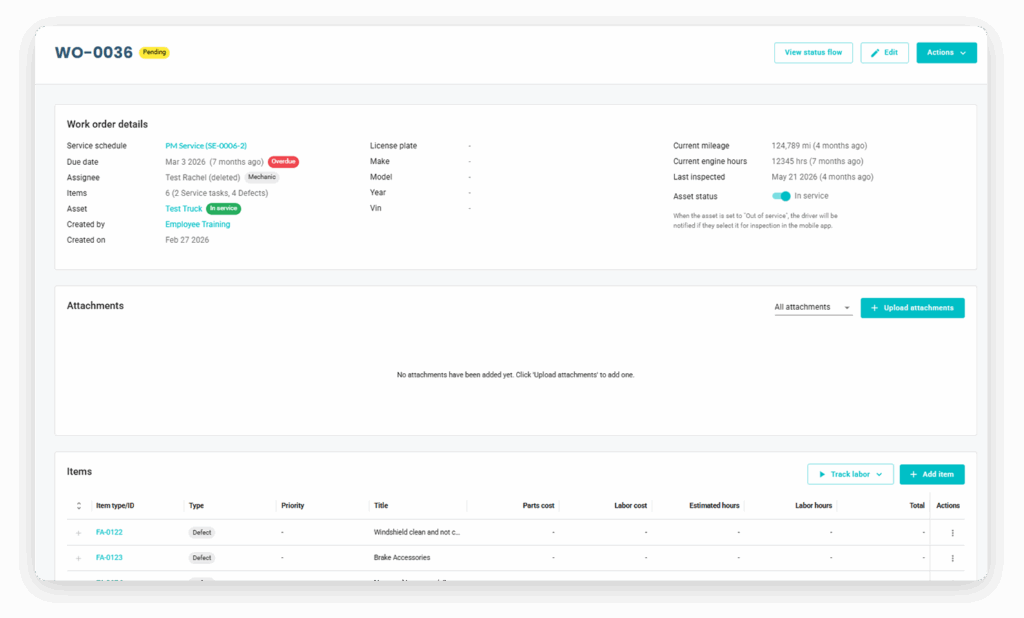
Mechanics clock in and out against a work order line item instead of logging hours by hand, with per-mechanic rates, optional hidden pay rates, and auto-clock-out for anyone who forgets. Every work order gets real labor cost and time-vs-estimate reporting, plus utilization and time-to-repair by asset and technician.

Work Order Board, Calendar & Scheduler

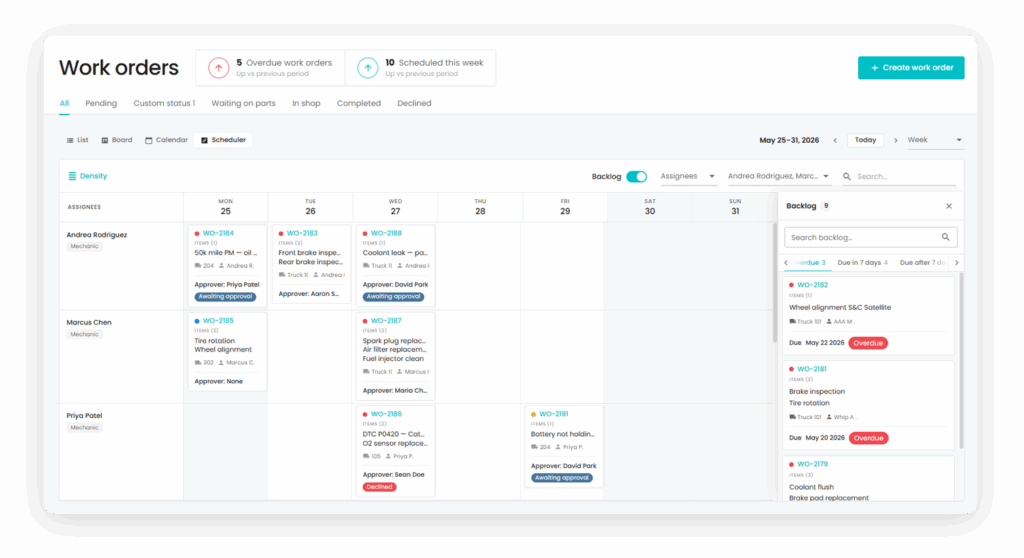
Track status on a board, plan ahead with a true scheduled date instead of just a due date, and drag-and-drop jobs to mechanics, vendors, or third parties in real time, with vendors notified automatically the moment they’re assigned.

Flexible Approval Rules

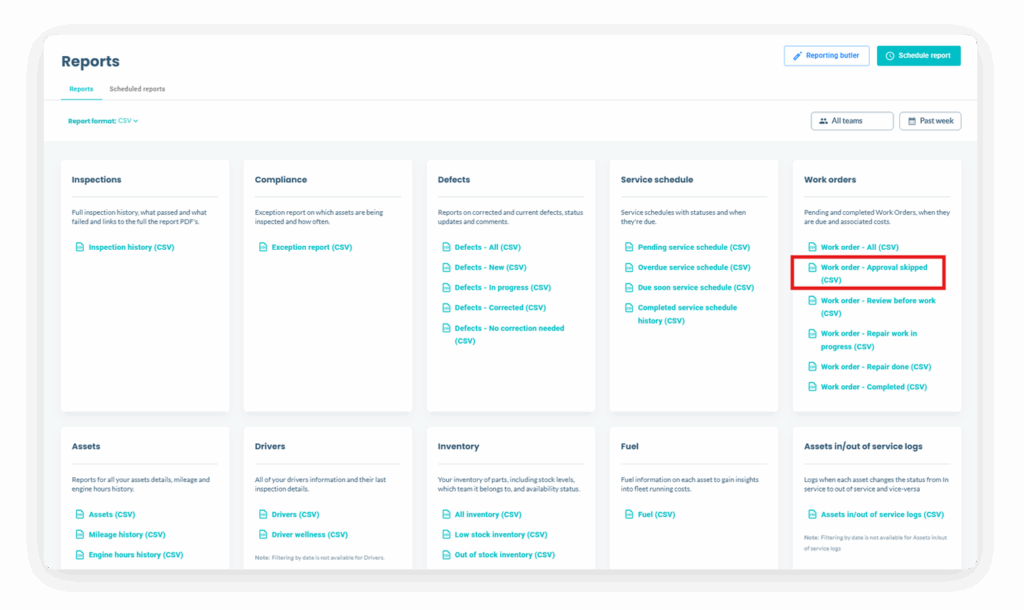
Set approval rules by cost, asset, or team so a $5 oil change doesn’t wait in the same queue as a $5,000 engine job, with a full audit log of every approval, skip, and exception.

Quotes & Invoices

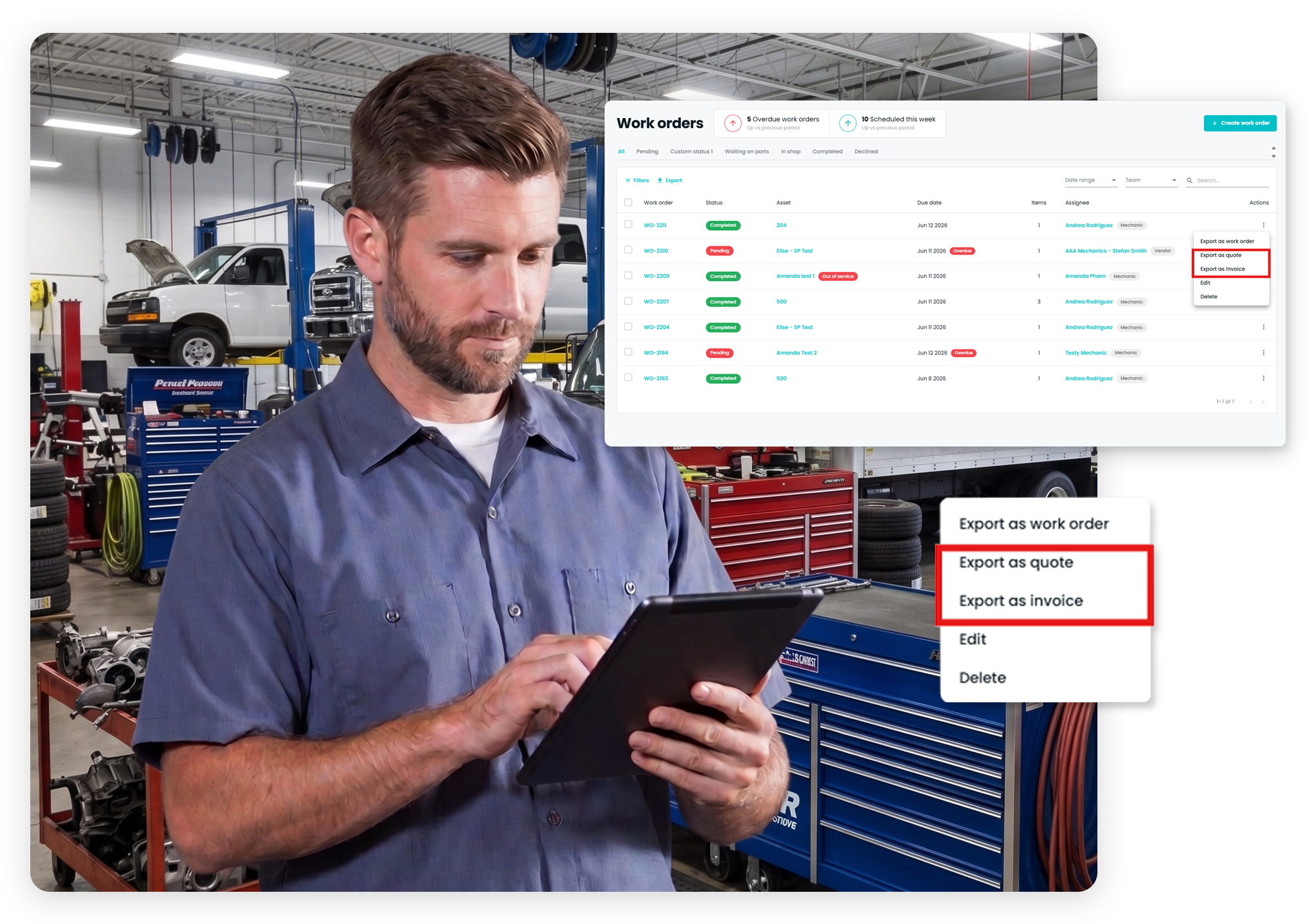
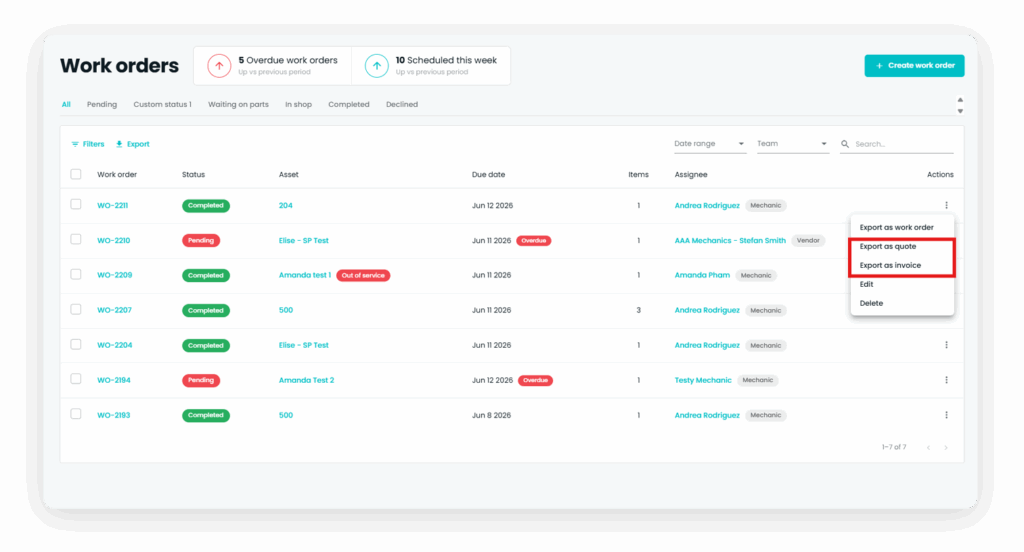
Create quotes and invoices directly from work order information, with asset details, labor, parts, and costs carried across automatically, making it easier to send work to external vendors or allocate costs between departments.

Workshop Operations

How Fleet Shop Management Software Works

As fleet repair shop software, Shop Ops connects labor tracking, scheduling, and billing directly to the work orders you already create, so nothing gets tracked twice.

With Whip Around, the process can work like this:

A work order is created from an inspection finding, a scheduled maintenance task, or a manual request.

The job is scheduled and assigned to a mechanic, vendor, or third party from the board or calendar.

The mechanic clocks in and out against that work order line item to log labor time and cost.

Approval rules route the job automatically based on cost, asset, or team.

Once the work is done, a quote or invoice is generated directly from the work order’s labor, parts, and cost data.

The complete labor, approval, and billing history stays attached to the work order for reporting.

What our fleet maintenance customers are saying

Don’t take it from us. See what leading brands across the globe are saying about Whip Around’s fleet maintenance software.


Connect Shop and Fleet Workflows

From Completed Repairs to Verified Fleet Records

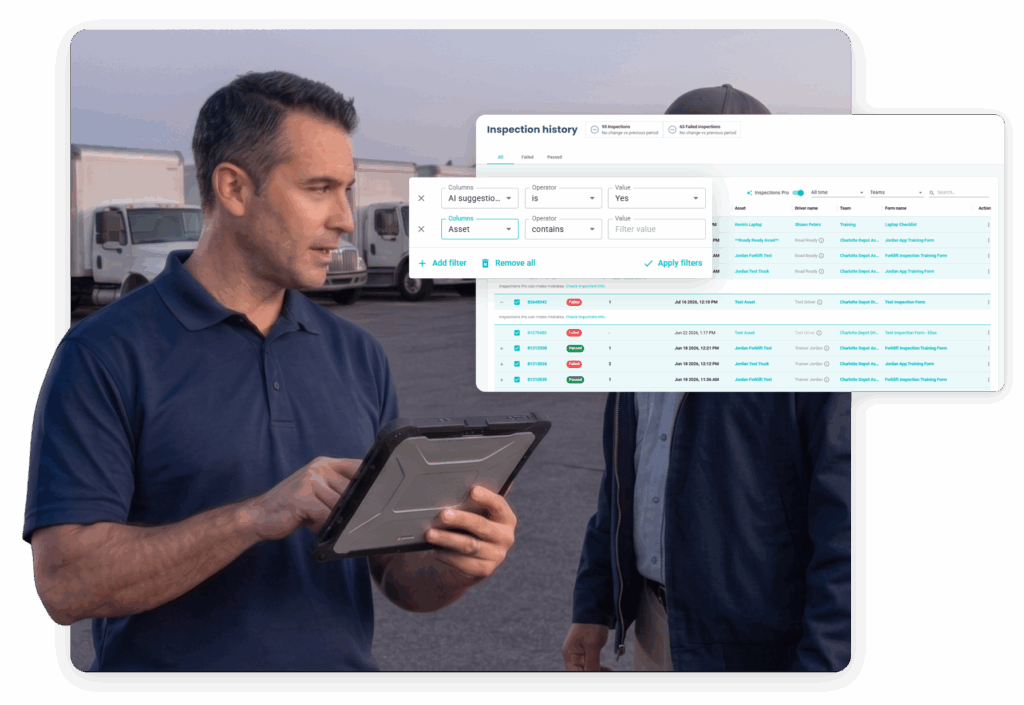
Shop Ops helps your team plan, track, and bill the work once it reaches the shop. FleetAI extends that workflow upstream with AI-reviewed inspections that flag issues and create defects automatically, so work orders start with verified evidence instead of a guess.

Together, they help fleet and maintenance teams maintain a clearer path from the first inspection finding to the completed repair, without forcing every customer to purchase capabilities they may not need.

Spend Less Time Tracking Labor. Get Ahead of the Work.

See how shop management software for fleets can help your team track technician time, control approval costs, and bill faster, all from the work orders you already use.

Frequently Asked Questions About Shop Management Software for Fleets

What is Whip Around's shop management software (Shop Ops)?

Shop Ops is an Advanced Maintenance add-on that brings labor tracking, scheduling, flexible approval rules, and quotes and invoices directly into Whip Around's work order platform. It's built for shops that want to plan and control maintenance work, not just record it after the fact.

Fleets that want more depth can add Advanced Maintenance, with Shop Ops for shop floor operations and FleetAI for AI-driven automation.

How does shop management software handle fleet maintenance work orders?

Shop Ops builds on Whip Around's existing work order management with labor tracking, a true scheduler, and cost-based approval rules. Work orders can be generated from inspection findings or scheduled maintenance tasks, assigned to mechanics, vendors, or third parties, and tracked in real time on a status board.

How does technician clock-in and clock-out work in shop management software?

Mechanics clock in and out against a work order line item instead of logging hours by hand, with per-mechanic rates, optional hidden pay rates, and auto-clock-out for anyone who forgets. Every work order then carries real labor cost and time-vs-estimate reporting, plus utilization and time-to-repair by asset and technician.

Can I set different approval rules for different jobs?

Yes. Shop Ops lets you set approval rules by cost, asset, or team, so a $5 oil change doesn't wait in the same queue as a $5,000 engine job, and every approval, skip, and exception is captured in a full audit log.

Do I need a Pro subscription to get Shop Ops?

Yes. Shop Ops requires a Pro subscription because it builds directly on Pro's work order and approval features.

Can I add Shop Ops without changing my whole plan?

Yes. Shop Ops is an add-on that attaches to your existing subscription rather than requiring an upgrade to a new tier, so you pay only for the features you actually need.

Why is Shop Ops sold separately from FleetAI?

Shop Ops and FleetAI solve different problems: shop floor operations and AI-driven automation. They're priced and sold separately so you can add the one you need, add the other later if you need it too, and never pay for a bundle of features you won't use.