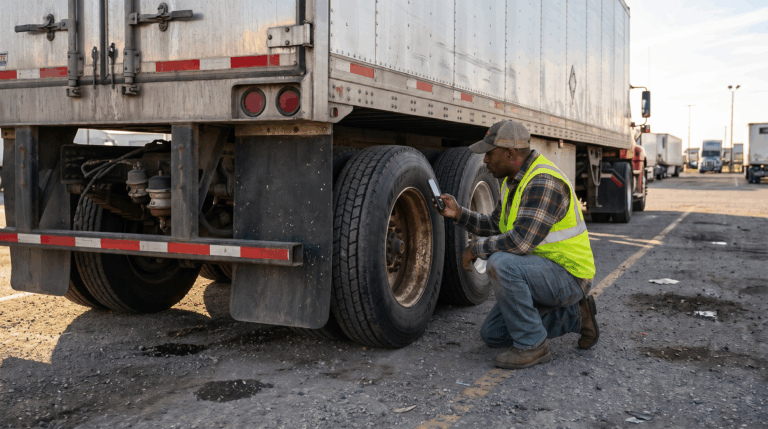
You’re reviewing a roadside inspection report when you spot something that doesn’t add up. Maybe the vehicle information is wrong, the same violation appears twice, or your inspection records tell a different story. How do you get it corrected?
FMCSA’s DataQs system gives you a way to ask for a review. You’ll submit a Request for Data Review explaining what you believe is wrong and include records that support your explanation. The agency responsible for the inspection data will review your request and determine whether to make a correction.
Before you get started, gather your documents and make sure you can clearly explain the issue. Here’s how to prepare your request, submit it through DataQs, and keep track of what happens next.
What Is DataQs
DataQs is FMCSA’s online system for requesting a review of federal and state safety data you believe is incomplete or incorrect. The formal submission is called a Request for Data Review, usually shortened to RDR.
Drivers, motor carriers, and their representatives can use it to raise concerns about inspection records and other safety data. This guide focuses on roadside inspection violations.
Although fleets often call these “CSA violations,” the underlying records come from inspections. FMCSA uses safety data in its Safety Measurement System, or SMS, as part of the Compliance, Safety, Accountability program. What people call a “CSA score” refers to category-specific safety measures and percentile ranks, rather than one universal score.
That distinction matters when you’re asking for a correction. Your request needs to identify an inaccurate record, not simply ask for a better score.
When Can You Challenge a Roadside Inspection Violation
A useful question to ask is: What, specifically, is wrong with the record, and what can we show to support that?
FMCSA’s request type definitions include incorrect or duplicate violations, inspections assigned to the wrong carrier or driver, and incorrect inspection information. There is also a request type for documenting the court outcome of a citation associated with an inspection violation.
For example, you might have records showing that an inspection was assigned to the wrong USDOT number. Or the same finding may have been entered more than once. Those are specific issues a reviewer can investigate.
By comparison, replacing a failed lamp after the inspection doesn’t establish that the original violation was wrong. Neither does a good maintenance history, by itself. Keep the request focused on the vehicle’s condition and the facts at the time of the inspection.
Separate the Inspection Violation From the Citation
If you’re researching how to dispute a DOT violation, first check which record you’re dealing with.
An inspection violation records an inspector’s finding. A citation is a separate enforcement action that may involve a fine or court proceeding. An inspection violation can exist even when no ticket was issued. DataQs reviews safety data; filing an RDR does not contest the ticket in court or extend its response deadline.
If a court changes the outcome of a related citation, submit the appropriate DataQs request with certified court documentation and the inspection details. Don’t assume that the court result has automatically updated your federal safety record.
Under FMCSA’s adjudicated citations policy, a not-guilty finding or dismissal without a fine can lead to the associated violation being excluded from SMS calculations and the driver’s Pre-Employment Screening Program report. A conviction of a different charge generally results in an SMS severity weight of 1. A conviction on the original charge, or a dismissal with a fine, retains the violation under that policy.
The exact disposition matters, so provide the actual certified court record rather than a summary saying the ticket was “taken care of.”
How to Submit a DataQs Request
1 Review the Original Inspection Report
Start with the report itself. Confirm the report number, inspection date, state, carrier, driver, and vehicle identifiers. Read the violation code and description alongside the inspector’s notes.
Then compare the report with your records. Are you challenging the finding, the carrier assignment, the vehicle information, or how the information was entered? Deciding that first will help you choose the right request type.
If your team needs more context on what inspectors examine, our guide to Level I versus Level II roadside inspections explains the difference.
2 Gather Evidence That Addresses the Error
Choose documents for what they establish. A large upload isn’t necessarily a persuasive one.
For a vehicle identification issue, registration and asset records may help explain a mismatch. For a carrier assignment dispute, leases, dispatch records, or shipping documents may clarify who was operating the vehicle. If the dispute concerns vehicle condition, inspection photos, technician findings, and service records may provide relevant context. FMCSA’s analyst guide describes how reviewers use supporting documentation to investigate disputed records.
Pay attention to timing. A photo taken after a repair shows the repaired condition. It doesn’t prove what the inspector saw earlier. Likewise, a pre-trip report marked “pass” may be relevant without proving that a defect couldn’t have developed later.
Keep original files and timestamps where available. Label each attachment so the reviewer can tell which vehicle, date, and issue it concerns.
3 Sign In and Choose the Correct Request Type
Follow the role-specific sign-in instructions on the DataQs Help Center. Motor carriers generally access DataQs through the FMCSA Portal; drivers and public or industry users use Login.gov.
Start a new request, locate the inspection record, and select the category that matches the issue. Use the state where the inspection occurred, rather than your company’s home state. The system routes the request to the appropriate agency; state-reported inspection data is generally reviewed by the responsible state agency.
4 Explain the Correction You Are Requesting
Write the explanation as though the reviewer has never seen your fleet’s records. Identify the disputed entry, explain why you believe it’s inaccurate, and point to the attachment that supports the correction.
For a hypothetical vehicle mismatch, you might explain that the inspection record identifies unit 214, while the report’s VIN and attached registration identify unit 241. Ask for the vehicle information to be reviewed and corrected. That gives the reviewer a specific discrepancy to check.
Avoid broad statements such as “our trucks are always maintained” or “this shouldn’t count against us.” Those statements don’t resolve whether the recorded finding was accurate.
5 Submit and Monitor the Request
Check that you’ve included the relevant evidence before submitting, then save the request ID. Assign someone to monitor correspondence and respond to questions.
Under FMCSA’s revised DataQs requirements, requestors have 14 days to supply additional information requested by the state. The state’s decision clock pauses during that response period. Supplying entirely new, relevant evidence beyond what was requested can send the case back to Initial Review.
A complete first submission helps avoid unnecessary delays. Continue addressing any actual safety defects and complying with enforcement orders while the review is pending.
How Long Does a DataQs Review Take
FMCSA’s updated state review framework, implemented nationwide in 2026, provides three stages: Initial Review, Reconsideration, and Final Review.
Initial Review decisions must be communicated within 21 days of submission. Reconsideration decisions have a 21-day timeframe, and Final Review decisions have a 45-day timeframe. Requests for additional information can pause the clock, so those are review standards rather than a promise that every case finishes in three weeks.
States are required to review inspection requests submitted within three years of the inspection. It’s still better to act promptly, while records are accessible and the people involved can explain what happened.
What If the Request Is Denied
Read the explanation before deciding how to respond. Did the reviewer address the evidence you provided? Is there a factual or regulatory issue that still needs review?
Use the available reconsideration or final-review option in DataQs and follow the state’s published implementation plan. Under the revised requirements, you must request Reconsideration or Final Review within 30 days of the state’s decision at the previous stage. Reconsideration uses independent subject matter experts, while Final Review involves a senior decision-maker or independent panel.
Avoid opening a duplicate request simply to repeat the original argument. Address the stated reason for the decision and explain what remains unresolved.
Can DataQs Remove a Violation From Your CSA Score
If you’re trying to remove a violation from your CSA score, the key question is whether the record warrants correction or qualifies for different treatment under FMCSA policy. A successful request can correct inspection data or change how an associated violation is used. It does not guarantee a particular percentile reduction.
FMCSA’s SMS guidance explains that results use 24 months of carrier performance data and are updated monthly. After a correction, check the underlying record and the relevant SMS update. Don’t expect the displayed result to change the moment the request closes.
For an adjudicated citation, exclusion from SMS calculations also doesn’t necessarily mean every authorized view of the inspection history will erase the original entry. The citation outcome can remain appended to the record.
Keep Records You Can Find When You Need Them
The easiest time to organize inspection evidence is when your team creates it. Once a dispute arises, searching through texts and paper work orders makes it harder to reconstruct the sequence of events.
Whip Around’s fleet inspection software helps teams capture inspection findings and photos. Its fleet maintenance software keeps work orders and service history connected to the asset. Those records can help your team understand what happened and gather relevant evidence for a review. DataQs submissions and decisions remain with the official system and reviewing agency.
Better follow-through also helps reduce preventable problems. EnviroServe reported a 75% reduction in time to resolve defects after adopting Whip Around. The team used customized forms and better inspection visibility to strengthen accountability across its operations.
Frequently Asked Questions
Does Filing a DataQs Request Cost Money
FMCSA allows users to submit DataQs requests at no charge. If you hire someone to prepare or manage the request, any professional service fee is separate from the government’s filing process.
Can I Challenge a Violation if No Ticket Was Issued
Yes. A recorded roadside inspection violation can be reviewed even without a citation. Explain why the inspection data is incorrect and provide relevant evidence. The absence of a ticket alone isn’t grounds for removing it.
Does Fixing a Defect Remove the Original Violation
No. A repair addresses the condition going forward. To challenge the original finding, you need evidence that the recorded violation was inaccurate or another applicable basis for changing its treatment.
Protect Your Fleet With Accurate Records
Review inspection reports promptly, question specific inaccuracies, and keep the evidence that supports your position. At the same time, use valid findings to improve inspections and repairs before the next trip.
Book a Demo to see how Whip Around’s fleet compliance software helps your team organize inspections, follow defects through repair, and find the records behind those decisions.