A crew showing up to a job site with a trailer that won’t unlock, a mower that won’t start, or a truck that failed to get its oil change costs more than the repair itself. It costs the day’s route, the crew’s time standing around, and a customer wondering why the work didn’t get done. Landscaping fleet management is how companies keep trucks, trailers, mowers, and other equipment inspected, maintained, and accounted for across crews and job sites, instead of relying on a shop foreman’s memory or a stack of paper work orders. For most landscaping companies, the operational pain is already familiar: trucks breaking down mid-season, trailers that are hard to locate, mowers overdue for service by hours nobody tracked, and crews skipping inspections because the paper form takes too long. These problems tend to compound during peak season, when every truck and mower is running at capacity and there’s little slack in the schedule to absorb a breakdown. This guide walks through building a preventive maintenance plan, tracking equipment across crews and trailers, what to look for in fleet software, and a simple example of how the workflow runs from a yard inspection to a completed repair.
Build a Preventive Maintenance Plan for Landscaping Vehicles and Equipment
Landscaping fleet maintenance covers more ground than most other fleet segments. A single crew might be responsible for a truck, a trailer, a zero-turn mower, a couple of trimmers, and a blower, each with its own wear pattern and service interval. A truck maintenance plan built for over-the-road trucking doesn’t translate cleanly to a mower running twenty hours a week during peak season, which is why landscaping fleets need a plan that treats vehicles and equipment as separate categories with separate rules. A preventive maintenance plan built around the seven pieces below keeps equipment ready for the next job instead of failing on the way to it.
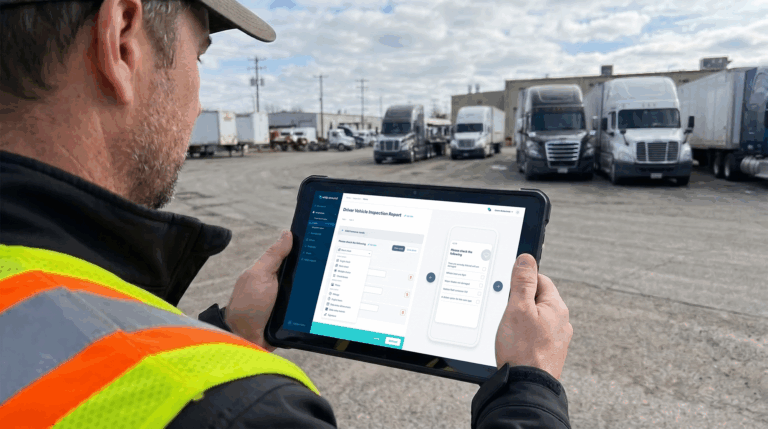
Create digital inspection checklists for trucks, trailers, and equipment
A single generic inspection form doesn’t work well across a mixed fleet of trucks, trailers, and mowers, since each asset type fails in different ways. Digital inspection checklists let crews use a form built for the specific asset, whether that’s checking trailer lights and tie-downs or confirming blade condition and hour meter readings on a mower, so nothing gets skipped because the form didn’t ask about it. Building these checklists once and assigning them by asset type also means a new crew member can complete a thorough inspection on their first day, without needing a veteran mechanic to walk them through what to look for.
Schedule maintenance by mileage, engine hours, time, and season
Trucks wear by mileage, mowers and other small engines wear by hours, and some maintenance tasks (winterization, blade sharpening before spring) are simply seasonal. Scheduling preventive maintenance by mileage, engine hours, calendar time, and season together, rather than picking one method for the whole fleet, keeps service timed to how each asset actually gets used. A mower that runs heavy hours during a wet spring might need service well before its next scheduled date on the calendar, and a plan that only checks the calendar will miss that.
Track service history for every asset
When service records live in a mechanic’s notebook or a folder of paper invoices, it’s hard to answer a simple question like when a specific mower last had its blades changed. Tracking service history digitally for every truck, trailer, and piece of equipment means that answer is a lookup, not a guess, and it also builds the record needed to spot a pattern of repeat repairs. That record matters at resale time too, since a documented service history is one of the easiest ways to justify an asking price when it’s time to sell an aging truck or mower.
Turn inspection defects into repair work orders
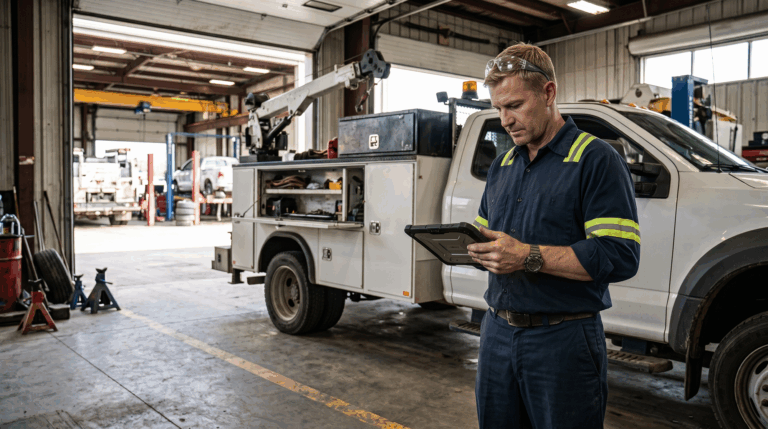
A failed inspection item is only useful if it turns into action. Connecting inspection defects directly to work order creation means a cracked hydraulic hose or a trailer with a bad wiring harness gets assigned to a mechanic automatically, instead of depending on someone remembering to follow up after the crew gets back to the yard.
Keep parts and inventory ready for common landscaping repairs
Filters, belts, spark plugs, blades, and hydraulic fittings are the parts landscaping fleets go through most often, and running out of one during a busy season stalls a repair that should take twenty minutes. Digitizing parts inventory and setting reorder thresholds for these common items keeps a routine repair from turning into a multi-day wait for a part. This matters most in peak season, when a truck or mower sitting idle for a few extra days because a part wasn’t on the shelf can mean a missed route and an unhappy customer.
Use photos, notes, and repair records to reduce back-and-forth
A mechanic trying to diagnose a problem from a one-line note like “trailer making noise” spends more time asking questions than fixing anything. Photos, detailed notes, and a searchable repair history attached to each work order give the shop what it needs to diagnose the issue before the asset even arrives, cutting down on the back-and-forth between crew and mechanic.
Review maintenance costs before deciding to repair or replace
Every asset eventually reaches a point where repair costs start outweighing its remaining value, but that point is hard to see without cost data. Reviewing maintenance spend by asset over time, rather than treating each repair as a one-off expense, gives fleet managers the information to make a repair-or-replace decision based on actual cost trends instead of a gut feeling about an aging truck or mower. A mower with three transmission repairs in a single season is telling a fleet manager something a single work order never would.
Landscaping Vehicle and Equipment Maintenance Checklist
Building a maintenance plan is easier with a starting checklist rather than a blank page. A solid landscaping checklist typically covers daily items (fluid levels, tire condition, trailer hitch and lights, blade and hour meter checks), weekly items (belt tension, filter condition, hydraulic connections), and seasonal items (winterization, spring startup, blade sharpening schedules). For a full breakdown by asset type and frequency, see this landscaping fleet checklist, which covers specific checklist items for trucks, trailers, and equipment side by side.
The value of a checklist comes from using it consistently, not just having one on file. A digital version that crews complete from a phone, with required fields for anything safety-related, closes the gap between having a good checklist and actually catching problems before they leave the yard.
How to Track Landscaping Equipment Across Crews, Trailers, and Job Sites
Landscaping equipment management gets harder as a company adds crews, because equipment moves between trucks, trailers, and job sites in ways that are easy to lose track of on paper. A mower that’s supposed to be on Trailer 3 with Crew A might end up on Trailer 1 with Crew B for a week, and nobody notices until it’s time for scheduled service and the asset can’t be found.
Assigning equipment to specific trucks, trailers, or crews inside a fleet system keeps that assignment visible and current, so a fleet manager can see where a piece of equipment is supposed to be without calling around. This matters most for expensive, unpowered equipment like mowers, trimmers, and compactors that don’t have their own GPS or engine data the way a truck does. Building equipment checkouts into daily workflows, where a crew confirms what’s loaded on their trailer each morning, also creates a record that helps recover a missing tool faster and holds crews accountable for what they’re responsible for that day. Companies managing multiple crews across scattered job sites benefit the most from this visibility, since it replaces a habit of texting around asking “does anyone have the edger” with an answer that’s already logged.
This visibility becomes even more valuable as a company adds trucks and expands into new territories, since the informal tracking that works for two crews and one yard breaks down fast once there are five crews rotating across multiple job sites and a shared equipment pool. A digital record of what’s assigned where also helps during theft investigations or insurance claims, since it’s much easier to prove what equipment a company owns and where it was last accounted for when that information is logged rather than remembered.
What to Look For in Landscaping Fleet Management Software
Not every fleet platform is built for the mix of assets a landscaping company actually runs. When comparing options, look for:
- Inspection forms customizable by asset type, so a truck, a trailer, and a mower each get a checklist built for how they actually fail.
- Preventive maintenance scheduling that supports mileage, engine hours, calendar dates, and seasonal triggers together, not just one method applied to the whole fleet.
- Automatic work order generation from failed inspection items, so a defect doesn’t sit unaddressed waiting for someone to notice it again.
- Parts and inventory tracking for the filters, belts, blades, and fittings landscaping crews go through most.
- Equipment and asset tracking beyond powered vehicles, covering mowers, trailers, and small equipment alongside trucks.
- Compliance document storage for registrations, insurance, and inspection records that need to be on hand for audits or DOT checks.
- Mobile access for crews in the field, since landscaping teams rarely work from a desk.
- Reporting on maintenance costs and downtime by asset, to support repair-or-replace decisions with real numbers instead of estimates.
Software that checks these boxes still needs to be simple enough for crews to use every morning without complaint. A tool packed with features that a crew avoids because it’s slow ends up back where the paper checklist started. It’s also worth checking whether a platform is built around vehicles only or supports equipment as its own asset category, since a system designed purely for trucks will treat a mower or trailer as an afterthought rather than a first-class asset with its own inspection and maintenance needs.
Example Workflow: From Yard Inspection to Completed Repair
A simple example makes the process concrete. Say a crew member is completing a pre-trip inspection on a truck and trailer before heading to the first job of the day.
- Inspection. The crew member works through a digital checklist covering the truck, the trailer hitch and lights, and the mower loaded on board, and notes that the trailer’s left tail light isn’t working.
- Defect flagged. The failed item is logged with a photo of the light, and the inspection is submitted from the crew member’s phone before the truck leaves the yard.
- Work order created. The failed inspection item automatically generates a work order, assigned to the shop, with the photo and note attached so the mechanic knows exactly what to look at.
- Repair completed. The mechanic replaces the bulb or wiring, logs the repair against the trailer’s service history, and closes the work order.
- Asset cleared for the next route. The trailer shows as repaired and ready in the system, and the next crew scheduled to use it can see the full history if anything comes up again.
The whole cycle, from a crew member noticing a problem to a completed repair on record, happens without a phone call, a sticky note, or a mechanic hunting down which truck had the issue. Multiply that across a fleet of trucks, trailers, and mowers running through peak season, and the time saved on communication alone adds up to real hours a fleet manager can spend on scheduling and crew planning instead of chasing down repair status.
Keep Trucks, Trailers, and Equipment Ready for the Next Job
Landscaping companies run on tight seasonal windows, and a truck or mower down for an avoidable reason costs a route, not just a repair bill. Building digital inspections, connecting defects to work orders, tracking equipment across crews and trailers, and reviewing maintenance costs by asset turns landscape company vehicle maintenance into a routine instead of a scramble every time something breaks. None of this needs to happen all at once. Most companies start with digital inspections since that’s where the biggest visibility gap tends to sit, then add work order automation and parts tracking as the team gets comfortable with the new process. Companies looking at where automation fits into this process can see more in this piece on AI for landscaping fleet management, and fleets running GPS or telematics alongside their maintenance program can review the fit in this look at landscaping telematics.
Whip Around brings these workflows together in one place built for crews working out of trucks and trailers rather than a desk. Digital inspections can be customized by asset type, failed items generate work orders automatically, and preventive maintenance scheduling supports mileage, engine hours, and calendar triggers so mowers and trucks each get serviced on their own terms. Parts inventory tracking and maintenance cost reporting round out the picture, giving fleet managers the data to decide when a repair is worth it and when it isn’t. Landscaping companies like Belknap Landscape use the platform to stay on top of compliance and inspections across their fleet. See how it applies to your operation on the Fleet management and tracking software for landscaping page.
If your crews are still filling out paper forms or calling around to find a missing trailer, it’s worth seeing what a digital workflow looks like in practice. Book a demo to see how it fits your fleet.