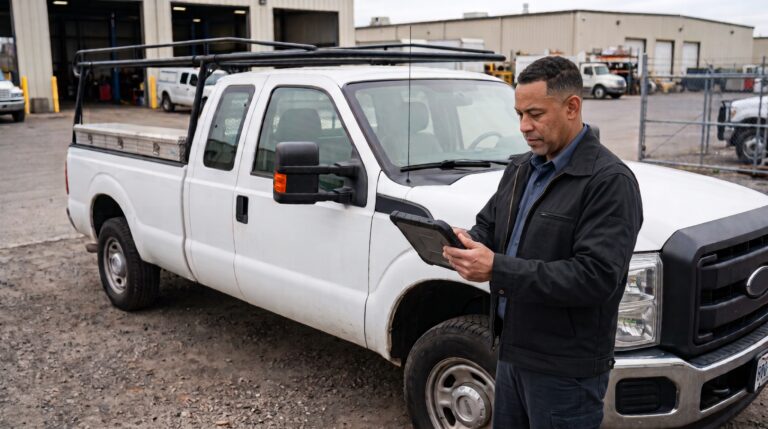
Most fleets don’t set out to run six disconnected systems. It happens one purchase at a time: a GPS tracking platform here, a fuel card program there, an inspection app added when compliance got tighter, a maintenance system bolted on when the spreadsheet stopped working. A few years in, a fleet manager is checking one dashboard for vehicle location, another for engine fault codes, and a stack of separate records for inspections and repairs, with no single place that shows a vehicle’s full picture.
The scale of that fragmentation is bigger than most fleets realize until they map it out. A recent industry report on fleet data integration found that 84% of organizations already use some form of telematics or equipment management system, but only 28% report full implementation across their entire fleet. Data integration itself has become the top-cited obstacle to getting real value out of that technology, mentioned by 71% of fleets, up sharply from 38% just a year earlier. Before you commit to unifying that stack into one connected telematics ecosystem, it’s worth slowing down on a few decisions that are much easier to get right upfront than to unwind later. Here are five things to weigh first.
What Is a Connected Telematics Ecosystem?
A connected telematics ecosystem is a set of fleet technology tools, GPS and telematics hardware, maintenance software, inspection and DVIR tools, fuel management, and dispatch, that share data with each other instead of operating as separate, disconnected systems. Instead of a fleet manager checking one dashboard for vehicle location, another for fault codes, and a stack of paper or PDFs for inspection records, a connected ecosystem routes that information into a shared workflow: a fault code triggers a work order, a failed inspection shows up next to the vehicle’s maintenance history, and reporting pulls from all of it at once.
The goal isn’t to have every tool made by the same vendor. It’s to have your tools actually talking to each other, which is a distinction that matters a lot once you start evaluating how to get there. A single-vendor suite can still leave you with disconnected data if it doesn’t cover your full asset mix or doesn’t let you pull your own history back out, while a multi-vendor stack with solid integrations can function as a genuinely connected ecosystem even though no single company built all of it.
1. How Many Systems Are Actually Talking to Each Other Right Now?
Before adding anything new, it’s worth mapping what you already have and how much of it is genuinely connected versus just sitting next to each other. Fleet technology fragmentation is a well-documented problem: carriers often run dozens of disconnected platforms, covering telematics, maintenance, dispatch, fuel, OEM portals, and dealer networks, most of which weren’t built to speak the same language. As one fleet data expert put it, if seven different systems are calling the same asset by seven different names, there’s no clean way to unify that picture without real integration work.
That audit usually surfaces more disconnection than expected. GPS data might already flow into a telematics dashboard, but if inspection records live in a separate app and maintenance history lives in a third system, none of that connects into a single view of a vehicle’s actual condition. Start the audit with a simple list: every system your fleet touches, what data lives in it, and whether that data ever reaches any other system automatically. Anything that requires someone to manually copy a number from one screen to another is, by definition, not part of a connected ecosystem yet, no matter how good each individual tool is on its own.
Whip Around complements rather than replaces a telematics system precisely because most fleets don’t need to rip out their GPS provider to fix this problem, they need the systems around it to actually connect to it.
2. Are You Integrating for a Real Workflow, or Just Because You Can?
It’s easy to treat “connect everything” as the goal itself. The more useful question is what decision or action each data feed is actually supposed to power. A fault code that lands in a dashboard nobody checks doesn’t prevent a breakdown. A fault code that automatically opens a work order and gets assigned to a technician does.
Before integrating a system, it’s worth asking who acts on that data, what they currently do without it, and what changes once it’s connected. If the honest answer is “nothing, we’d just have another report,” that’s a sign the integration is solving a visibility problem rather than an operational one, which usually isn’t worth the setup cost.
A useful gut check: for every proposed integration, name the specific decision it changes. “Fault codes flow into the maintenance system” isn’t the workflow, “fault codes automatically open a work order and get a technician assigned before the driver finishes their shift” is. Using telematics data inside your fleet maintenance software is a useful test case for this, since the value only shows up once engine hours or fault codes actually change when a PM gets scheduled, not just when they appear on a screen somewhere.
3. Who Owns the Data Once It’s Centralized?
Consolidating tools into one ecosystem usually means more of your fleet’s data lives inside fewer platforms, which raises a question worth answering before you commit rather than after: can you get that data back out, in a usable format, if you switch providers down the line? Some platforms make data exports easy. Others make your historical inspection records, maintenance logs, or telematics history difficult to extract, which quietly increases switching costs and vendor lock-in over time.
This matters more as fleets lean harder on their own data for data-driven fleet management decisions, since a report or trend is only as good as your ability to keep using that historical data if your vendor relationships change. It’s also relevant well before you ever consider leaving a platform: an ecosystem that makes it hard to export a basic inspection report or maintenance log for your own internal review isn’t fully serving you today, regardless of what might happen down the line.
Ask any platform you’re evaluating, directly, what happens to your inspection and maintenance history if you leave, whether standard reports export to formats you can actually use, and whether that export includes full historical detail or just a summary. The answer tells you a lot about how the ecosystem is actually built, and whether “connected” means genuinely open or just convenient until you try to leave.
4. Does the Ecosystem Cover Every Asset, Not Just the Ones With GPS?
Telematics hardware tracks vehicles. It generally doesn’t track trailers without their own tracker, generators, compressors, light towers, or the rest of the equipment a construction, landscaping, or oil and gas fleet actually runs. If your connected ecosystem is built entirely around telematics data, everything without a GPS unit becomes a blind spot by default, even though it still needs inspections, maintenance schedules, and a compliance record.
A fleet asset management approach that isn’t limited to GPS-trackable vehicles closes that gap, since a lot of what actually breaks down or fails inspection in a mixed fleet has no telematics hardware attached to it at all. Construction and landscaping fleets in particular tend to have more non-trackable equipment than trackable vehicles: mowers, generators, light towers, and trailers rarely carry the same telematics hardware as the trucks that haul them, but they still need inspections, PM schedules, and a documented compliance history.
Whip Around’s inspection and maintenance tools work beyond vehicles, covering trailers, equipment, and fixed assets alongside anything your telematics system already tracks, so the ecosystem doesn’t quietly stop at the edge of what has a GPS chip in it.
5. How Will the Ecosystem Scale as Your Stack Changes?
Fleets change telematics providers, add new equipment types, and pick up new compliance requirements more often than any single technology purchase anticipates. An ecosystem built around rigid, custom integrations that only work with today’s exact vendor mix tends to require a rebuild every time something changes. One built around genuinely open integrations tends to absorb that change instead of breaking under it.
Connected fleet technology is also trending toward AI-assisted decision-making faster than most stacks were designed for, and the fleets furthest along report a real payoff: Ford Pro has reported a 20% reduction in repair time for customers using connected diagnostics to get ahead of maintenance needs, rather than reacting after a breakdown. That kind of result depends on data actually reaching the right workflow in time to act on it, which is only possible if the ecosystem was built to flex as the underlying tools change.
It’s worth asking any platform you’re evaluating which telematics providers it already integrates with natively, and what happens when you add a new one, or drop one, later. A fleet reporting layer that can pull from multiple telematics sources at once, rather than being hard-coded to a single provider, is a reasonable proxy for how much flexibility the rest of the ecosystem actually has. It’s also worth looking at how the platform is positioning itself for what’s next: where fleet management is headed by 2030 has more to do with how well systems connect and adapt than with any single piece of hardware.
Where Whip Around Fits Into Your Telematics Ecosystem
Whip Around isn’t a telematics platform, and it isn’t trying to replace the GPS and engine-diagnostics hardware you’ve already invested in. It’s the layer that turns telematics data into action: fault codes and engine hours from your telematics provider feed into inspection schedules and maintenance workflows, so a check-engine light doesn’t just sit in a dashboard, it turns into a work order with the vehicle’s inspection and repair history already attached.
Whip Around integrates natively with major telematics providers, including Geotab, Samsara, and Motive, alongside accounting, ERP, and fuel card systems. The full, current list of what connects out of the box is on Whip Around’s integrations page, which is the place to start if you’re mapping out what a connected ecosystem could actually look like for your specific stack.
That integrations page is worth treating as a planning tool rather than just a features list. Before evaluating any new piece of your ecosystem, it’s a quick way to check whether your existing telematics provider already connects natively, what data flows through that connection today, and where the gaps are that a custom integration or a different tool would need to fill. Because the inspection and maintenance layer covers every asset, not just GPS-trackable vehicles, and keeps your inspection history exportable rather than locked in, it’s built around the same five considerations laid out above rather than working against them.
If you want to walk through how your existing telematics setup would connect, book a demo or start a free trial to see it against your own fleet’s data.
Frequently Asked Questions
What is a connected telematics ecosystem? It’s a set of fleet technology tools, telematics, maintenance, inspections, fuel, and dispatch, that share data with each other automatically instead of operating as separate systems a fleet manager has to check one by one.
Do I need to replace my telematics provider to connect it with other fleet software? No. In most cases, the telematics hardware and GPS provider you already use can stay in place while the tools around it, inspection software, maintenance systems, reporting, connect to it through integrations rather than requiring a full replacement.
What’s the difference between telematics and fleet maintenance or inspection software? Telematics tracks vehicle location, engine data, and fault codes in real time. Maintenance and inspection software manages the human side of fleet operations: driver inspections, defect reporting, work orders, and compliance records. A connected ecosystem uses telematics data to trigger and inform those workflows rather than treating the two as separate systems.
How do I know if my fleet’s tech stack needs to be consolidated? If your team is manually re-entering the same vehicle data into more than one system, if fault codes and inspection defects live in different places, or if no one can answer “what’s this vehicle’s full history” without checking three separate tools, that’s a sign your current stack is fragmented enough to be worth consolidating. The fact that this is a common state, not a rare one, is exactly why data integration now ranks as fleets’ top-cited technology obstacle.