A dump truck down mid-pour. An excavator waiting on a part that should have been ordered two weeks ago. A driver who skipped his pre-trip and is now flagged during a roadside inspection. These aren’t edge cases — they’re the daily cost of managing a construction fleet without the right system behind it.
Construction companies managing trucks, heavy equipment, and DOT-regulated vehicles across multiple job sites need more than GPS tracking. They need a system that ties inspections, maintenance, work orders, and compliance into one visible, actionable workflow. This guide covers what the best fleet management for construction actually needs to do — and the 8 features that separate useful platforms from generic tools. For a deeper look at why maintenance software matters specifically for construction operations, the importance of construction fleet maintenance software is worth reading before you evaluate vendors.
What is construction fleet management?
Construction fleet management is the process of tracking, maintaining, and coordinating all vehicles and equipment used in construction operations — including on-highway trucks, off-road machinery, trailers, and support assets. It covers inspection workflows, preventive maintenance scheduling, work order management, parts tracking, compliance recordkeeping, and reporting. The goal is keeping every asset available, safe, and compliant while controlling the operational costs that equipment downtime and deferred maintenance create.
8 construction fleet management features to prioritize
1. Digital inspections for trucks, trailers, and equipment
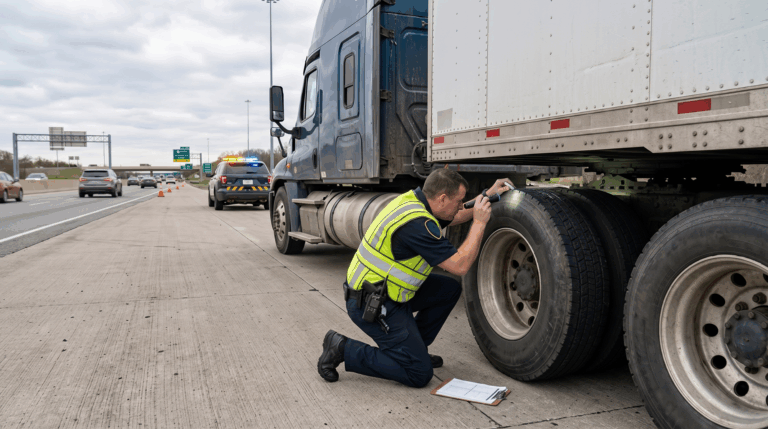
The FMCSA requires DVIRs for all commercial motor vehicles over 10,000 lbs GVWR. But on a construction site, the inspection requirement doesn’t stop at the DOT threshold. Excavators, loaders, aerial lifts, and other heavy equipment all carry real safety risk when they go out uninspected. Digital fleet inspections let drivers and operators complete pre-trip and post-trip checks from a mobile app, attach photos, and submit reports in real time.
That immediacy matters. When an operator flags a hydraulic issue on a crane at 6:30am, your shop foreman sees it before the crew starts work — not at the end of the day when the damage is done. Look for software that supports custom inspection forms for different asset types, not just a single generic checklist.
2. Preventive maintenance schedules based on mileage, time, or engine hours
Construction equipment doesn’t wear by the calendar. A concrete mixer running two pours a day hits its service interval in weeks, not months. Any PM system that only tracks date-based service windows will leave equipment overdue — or waste money servicing assets that haven’t reached their threshold yet.
The best fleet maintenance software for construction lets you set PM triggers by mileage, engine hours, calendar date, or a combination of all three. Automated reminders fire before the window closes, not after. Industry benchmarks consistently show that preventive maintenance programs can reduce equipment downtime by up to 45%. That’s a meaningful number when heavy machinery downtime on a construction site can cost hundreds of dollars per idle hour.
3. Defect reporting that captures issues before they become breakdowns
A driver notices vibration in the front axle. An operator spots a cracked boom weld. Without a structured defect reporting workflow, those observations live in a text message, a verbal handoff, or nowhere at all.
Good defect reporting is built into the inspection workflow: when an item is flagged, it creates a documented record with photos, notes, and a timestamp. That record feeds directly into the maintenance queue so nothing gets lost between the field and the shop. It also builds a fleet compliance paper trail that matters during DOT audits and insurance reviews.
4. Work orders with photos, notes, repair status, and mechanic sign-off
A work order is only useful if it contains enough information to act on. Vague entries like “fixed engine issue” don’t tell you what was done, what parts were used, how long the repair took, or whether the asset is fully cleared to return to service.
Look for work order management that captures the full picture: the reported defect, photos from the field, parts consumed, labor hours, mechanic notes, and a formal sign-off before the asset is marked back in service. That structure turns your maintenance history into something you can actually use, for cost tracking, warranty claims, and resale documentation.
5. Parts and inventory tracking for faster maintenance turnaround
The repair itself is often the fastest part of the process. The delay is usually waiting on parts — because no one knew the supply was low until the work order was already open. Parts and inventory tracking built into your fleet management platform lets you tie parts consumption directly to work orders, set reorder thresholds, and see stock levels before a critical repair hits.
For construction fleets running specialized machinery, this matters even more. The parts for a Caterpillar motor grader or a Liebherr crane section aren’t available same-day at the local supplier. Knowing what you have — and what you’re burning through — keeps maintenance turnaround predictable instead of reactive.
6. Asset records for service history, documents, and compliance
Every asset in your fleet — from a Class 8 dump truck to a portable generator — should have a complete, searchable record: inspection history, PM completions, work orders, repair costs, registration, insurance certificates, and permits. Construction forms and compliance documents stored inside the platform mean your team can pull what they need during a surprise audit without digging through binders.
That longitudinal record also informs replacement decisions. When you can see that a particular piece of equipment has been in the shop seven times in 18 months and has cost $22,000 in repairs, the case for replacement writes itself.
7. Mobile access for drivers, operators, mechanics, and managers
Construction operations don’t run from a desk. Drivers are at the yard at 5am. Operators are in the field. Mechanics are in the shop bay. Managers are on-site or in transit. A fleet management platform that requires desktop access to do anything useful will get abandoned within a month.
Mobile-first design means every role in your organization can interact with the system from wherever they are. Drivers complete inspections on their phones. Mechanics update work orders from the shop floor. Managers check fleet status from the jobsite. Look for iOS and Android support, offline functionality for remote sites with spotty signal, and an interface simple enough that operators who aren’t tech-forward will still use it consistently.
8. Reporting dashboards for uptime, maintenance costs, and fleet risk
Data that lives in the platform but never gets reviewed isn’t helping you. Reporting dashboards that surface fleet-wide uptime rates, cost per asset, overdue PMs, and open defects give fleet managers and operations directors an at-a-glance view of where risk is concentrated, and where money is being spent. Fleet compliance software with built-in reporting also makes audit preparation faster: exportable records, timestamped inspection history, and maintenance logs are all in one place rather than scattered across paper files and email chains.
Fleet management by construction asset type
Construction fleets are rarely uniform. The features that matter most vary by what you’re managing:
- On-highway trucks (dump trucks, flatbeds, water trucks): DVIR compliance, HOS tracking, ELD integration, mileage-based PM scheduling.
- Heavy off-road equipment (excavators, bulldozers, cranes, graders): Engine-hour-based PM, telematics integration for fault code monitoring, custom inspection forms, parts inventory for long lead-time components.
- Trailers and attachments: Pre-trip inspection records, load securement checklists, registration and permit storage.
- Small equipment and tools (generators, compressors, power tools): Asset assignment by crew or jobsite, usage-based inspection schedules, loss and damage documentation.
- Support vehicles (pickups, vans, superintendent trucks): Mileage tracking, driver assignment, registration and insurance records.
The right platform handles all of these asset types in one system, not just the vehicles with a GPS tracker on them.
How Whip Around supports construction fleet management
Whip Around is built to handle the full maintenance and inspection workflow for mixed construction fleets: on-highway vehicles, off-road equipment, trailers, and non-vehicle assets all managed in a single platform. Drivers and operators complete digital inspections from the mobile app; defects automatically generate work orders; PMs are scheduled by mileage, engine hours, or calendar date; and every inspection, repair, and service event builds a searchable asset history.
For construction companies already using telematics, Whip Around integrates with Geotab, Samsara, and Motive, pulling engine hours, mileage, and fault codes directly into maintenance workflows so data entry doesn’t fall on your shop foreman. See how construction fleets are using the platform on the construction fleet management software page.
FAQs about construction fleet management software
How does construction fleet management software reduce downtime?
By shifting maintenance from reactive to scheduled. When inspections run daily, defects get flagged before they escalate, PMs fire before equipment hits a critical service threshold, and work orders move through the shop with documented status rather than sitting in a verbal queue. The result is fewer unplanned failures and faster repair turnaround when issues do occur. Industry benchmarks consistently show that structured PM programs reduce fleet downtime by up to 45%.
Is fleet management software useful for small construction companies?
Yes — often more so than for large fleets, because small operators have less margin for a costly breakdown or a failed DOT inspection. A company running 10 trucks and a handful of heavy equipment pieces can’t afford a week-long repair because a PM was missed or a defect wasn’t documented. The right software scales to any fleet size and doesn’t require a dedicated fleet manager to run it effectively.
What is the difference between fleet tracking and fleet maintenance software?
Fleet tracking (telematics) tells you where your assets are and what the engine is doing: location, speed, idle time, fault codes. Fleet maintenance software manages what happens next: the inspection records, work orders, PM schedules, parts consumption, and compliance documentation. The two complement each other, but they solve different problems. Telematics gives you data; maintenance software turns that data into action.
Whip Around gives construction fleets one place to manage inspections, maintenance, work orders, and compliance across every asset type, from dump trucks to handheld equipment. Book a demo to see how it works for a fleet like yours.