Refuse trucks run more daily cycles than almost any other commercial vehicle. A rear-loader making 800 stops a day puts more wear on its compactor, brakes, and hydraulics in a week than a delivery truck sees in a month. When one goes down mid-route, the ripple effect is immediate: missed pickups, service complaints, contract pressure, and a repair bill that could have been avoided with a scheduled PM.
Waste and recycling fleets operate under real pressure. Routes run on fixed schedules. DOT compliance is non-negotiable. And the assets involved, from rear-loaders and roll-off trucks to compactors, trailers, and recycling vehicles, are expensive to repair and hard to replace on short notice. This guide covers what the best waste and recycling fleet management software needs to do for collection operations, the 10 features that matter most, and the mistakes operators make when choosing a platform. For a practical starting point on daily inspection workflows, see the guide on waste management pre-trip inspections.
What waste and recycling fleet management software should help you do
Waste fleet management software is a platform that organizes the inspection, maintenance, compliance, and reporting workflows for refuse trucks, recycling vehicles, roll-off trucks, and related assets. It connects what drivers observe in the field to what mechanics do in the shop, and gives fleet managers visibility across all of it in one place.
For waste and recycling operators specifically, that means handling a few realities that don’t apply to most other fleet types:
- Refuse trucks run high daily cycles with significant mechanical stress on compactors, hydraulic systems, and lift mechanisms, not just the powertrain.
- Routes are time-sensitive. A missed pickup has direct service and contract consequences that a delayed delivery does not.
- Many waste haulers also manage non-vehicle assets: dumpsters, roll-off containers, compactors, and support equipment that need inspection and tracking records even without GPS units attached.
- DOT compliance requirements apply across the fleet, and the recordkeeping burden for DVIR and inspection documentation is ongoing.
The right software handles all of this in one system, rather than splitting inspections, maintenance, and compliance across separate tools or paper-based processes.
10 features to look for in the best waste and recycling fleet management software
1. Digital inspections for pre-trip, post-trip, and route checks
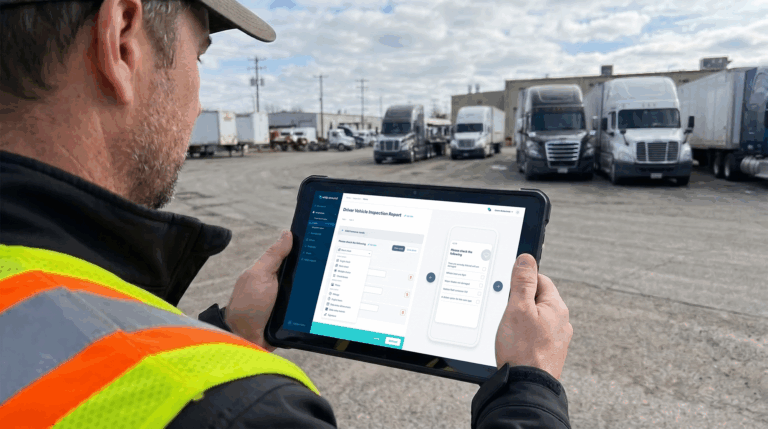
The FMCSA requires DVIRs for all commercial motor vehicles over 10,000 lbs GVWR. For a refuse fleet, that covers virtually every vehicle in operation. Paper DVIRs create a compliance gap: reports get lost, fields get skipped, and there is no real-time visibility into what drivers found. Waste management pre-trip inspections done digitally give drivers a structured, mobile-first workflow that captures photos, timestamps, and defect notes the moment they are submitted.
Look for software that supports custom inspection forms for different asset types. A rear-loader checklist looks different from a roll-off truck checklist, and both look different from a recycling vehicle. One-size-fits-all inspection forms lead to skipped items and missed defects.
2. Preventive maintenance scheduling for high-use collection vehicles
Refuse trucks hit their service intervals faster than almost any other commercial vehicle type. Mileage-based PM schedules miss the picture entirely for collection vehicles that run short urban routes but operate under constant hydraulic and mechanical load. Automated waste fleet management depends on PM scheduling that can trigger by engine hours, cycle counts, calendar date, or mileage, depending on what makes sense for each asset.
Automated reminders that fire before the service window closes keep maintenance on schedule without relying on a fleet manager to manually track every interval across a large fleet. Industry benchmarks consistently show that structured PM programs reduce equipment downtime by up to 45%, and for route-dependent operations, that figure translates directly into service reliability.
3. Defect reporting that turns driver findings into action
A driver notices a sluggish compactor cycle or uneven brake feel at the start of a shift. Without a structured reporting workflow, that observation either goes unreported or gets passed along verbally and forgotten before the shift ends.
Defect reporting built into the inspection workflow ensures that flagged items create a documented record with photos, notes, and a timestamp. That record should flow automatically into the maintenance queue so the shop foreman sees it the moment it is submitted, not at the end of the day. The paper trail this creates also matters for compliance: documented defect-to-repair records are exactly what DOT auditors look for.
4. Work order management for faster repairs
A work order that says “fixed hydraulics” is not a maintenance record. Useful work order management captures the full repair picture: the reported defect, photos from the field and shop, parts used, labor time, technician notes, and a formal close-out before the vehicle returns to service.
That structure matters for more than record-keeping. It tells you how long repairs take, which vehicles cycle through the shop most often, what each repair actually costs, and whether your shop has the capacity to handle volume during peak collection periods. Without that data, fleet cost decisions are based on estimates instead of actuals.
5. Compliance records for DOT, DVIRs, and audit readiness
Waste haulers operating DOT-regulated vehicles need to maintain inspection records, repair documentation, and driver certification files in a format that holds up during a roadside inspection or a targeted audit. Storing that documentation inside your fleet management platform, rather than in binders or shared drives, means it is searchable, timestamped, and accessible from anywhere. For operations that also handle hazardous materials, structured DOT training records and compliance documentation become even more critical to maintain in an organized, audit-ready format.
Look for software with a compliance dashboard that shows inspection completion rates, overdue DVIRs, and open defects across the full fleet at a glance, so compliance gaps get surfaced before they become violations.
6. Asset and equipment tracking beyond trucks
Refuse fleets are not just trucks. Roll-off containers, dumpsters, compactors, trailers, and support equipment all need maintenance records and inspection histories, even when they have no GPS unit attached. Waste recycling operations that track only their vehicles miss a significant portion of the assets that generate maintenance costs and compliance exposure.
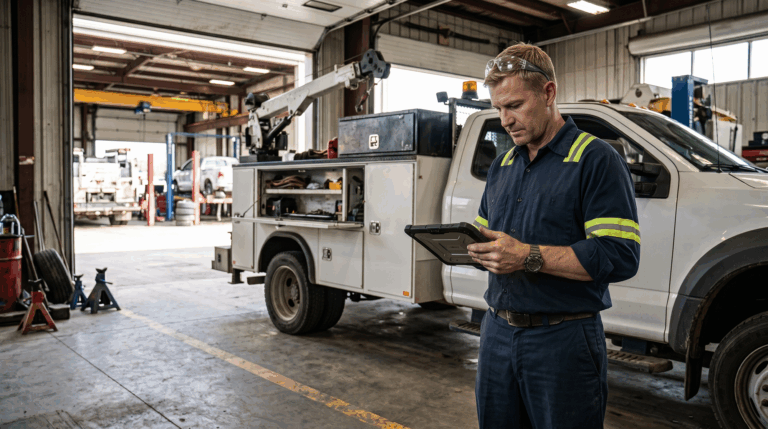
Software that handles non-vehicle assets lets you build inspection forms for compactors and containers, assign them to locations or routes, and track every service event in one system. When a roll-off container comes back damaged, there is a record. When a compactor hits its hydraulic service interval, the PM fires automatically.
7. Parts and inventory tracking for maintenance teams
Refuse trucks share common wear parts across the fleet: brake pads, hydraulic seals, filters, lift arm components, and compactor wear plates. Running out of a critical part during a heavy maintenance period means vehicles sit longer than they should. Parts and inventory tracking built into your fleet management platform lets maintenance teams tie parts consumption to specific work orders, set reorder thresholds, and see stock levels before they become a problem.
Over time, that consumption data tells you which vehicles burn through parts fastest, where you are overspending relative to expected maintenance costs, and which parts are worth stocking in higher quantities given your fleet’s repair patterns.
8. Fuel and cost tracking for route-heavy operations
Refuse trucks burn significant fuel running stop-and-go residential and commercial routes. Idle time at transfer stations and collection points adds up quickly, and without tracking, the cost is invisible. Fuel management integrated with your fleet platform lets you track fill volumes by vehicle, flag unusual consumption, monitor idle time, and benchmark fuel costs across the fleet.
GPS-based telematics can reduce idle time by 10 to 20% on average, according to industry benchmarks, and fuel cost reductions of 10 to 15% are consistently reported in fleet operations that actively track and manage consumption. For a fleet running 20 or more collection vehicles, those percentages represent meaningful operational savings over a full year.
9. Reporting dashboards for maintenance, safety, and uptime
Data that lives in the platform but never gets reviewed does not help you make better decisions. Reporting dashboards that surface fleet uptime rates, cost per vehicle, overdue PMs, open defects, and inspection compliance rates give operations managers and fleet managers a current, accurate picture of where the fleet stands.
Look for reporting that is exportable and filterable by vehicle, date range, route, or cost center. The ability to pull a clean maintenance cost report by asset is what makes replacement decisions defensible and what turns anecdotal complaints about a specific truck into a documented case for taking it out of rotation.
10. Mobile access for drivers, mechanics, and fleet managers
Refuse drivers start early. Pre-trip inspections happen in the yard before sunrise. Mechanics update work orders from the shop floor. Operations managers check route status from an office, a yard, or a vehicle. A fleet management platform that requires desktop access for any of these workflows will get worked around rather than adopted.
Mobile-first design means every role can interact with the system from wherever they are. Look for iOS and Android support, offline functionality for areas with weak signal, and an interface simple enough that drivers who are not technically inclined will still complete inspections accurately and consistently.
What to avoid when choosing waste and recycling fleet management software
The most common mistake is buying a GPS or telematics platform and assuming it covers fleet management. Location data tells you where a vehicle is and how long it idled. It does not capture driver inspection findings, hydraulic cycle counts, compactor wear, or the repair history that builds up over the life of a vehicle. Telematics is valuable input, but it is not a replacement for structured maintenance and inspection workflows.
A second mistake is choosing software that only covers on-highway vehicles. Waste operations include a wide range of non-vehicle assets that carry real maintenance and compliance obligations. A platform that stops at trucks leaves compactors, containers, and trailers in a blind spot.
Third: prioritizing price over adoption. The cheapest platform is not a deal if drivers skip inspections because the interface is confusing or mechanics never update work orders because the system is too slow to use on a phone. Ask vendors how their platform is used in the field by drivers and technicians, not just by fleet managers at a desk.
Finally, avoid platforms that lock your data inside proprietary formats with no easy export path. Your inspection records, maintenance history, and compliance documentation belong to your operation. You should be able to get them out cleanly for audits, insurance reviews, and internal reporting without submitting a support request.
Whip Around for waste fleets: inspections, maintenance, and compliance in one platform
Whip Around is built to handle the full maintenance and inspection workflow for waste and recycling fleets, including refuse trucks, roll-off vehicles, recycling trucks, trailers, and non-vehicle assets like compactors and containers, all managed in one platform.
Drivers complete digital pre-trip and post-trip inspections from the mobile app. Flagged defects automatically generate work orders routed to the shop. PMs are scheduled by mileage, engine hours, or calendar date so nothing slips during peak collection periods. Every inspection, repair, and service event builds a searchable compliance record that holds up during DOT audits. For waste operations already using telematics, Whip Around integrates with Geotab, Samsara, and Motive to pull engine hours and fault codes directly into maintenance workflows. See how it works for waste and recycling fleets on the industry page.
FAQs about waste and recycling fleet management software
Is fleet management software useful for small waste fleets?
Yes. Small operators often have less margin for a breakdown or a failed DOT inspection than large haulers do, which makes structured maintenance and inspection workflows more important, not less. Most modern fleet management platforms scale to any fleet size and do not require a dedicated fleet administrator to run effectively. The value of daily inspections, automated PM reminders, and documented repair records applies whether you are running 5 trucks or 50.
Can waste fleet software help reduce downtime?
Directly. Downtime in a waste fleet almost always traces back to deferred maintenance, missed inspections, or defects that were noticed but not documented. Software that connects inspections to work orders and keeps PM schedules current addresses all three. Industry benchmarks consistently show that structured preventive maintenance programs reduce fleet downtime by up to 45%. For route-dependent operations where a downed vehicle means missed pickups, that reduction has direct service and revenue implications.
Does waste fleet software help with DOT compliance?
Yes, in several ways. Digital DVIR workflows ensure inspection records are completed, timestamped, and stored in a searchable format rather than on paper that can be lost or incomplete. Defect-to-work-order automation creates a documented repair trail. Compliance dashboards surface overdue inspections and open defects before they become violations. For operations hauling hazardous materials, structured documentation of driver training and certifications is also supported.
What is the difference between GPS tracking and fleet maintenance software?
GPS tracking tells you where a vehicle is, how fast it is moving, and how long it has been idling. Fleet maintenance software manages what happens to the vehicle over time: inspection records, defect reporting, PM schedules, work order tracking, parts consumption, and compliance documentation. The two serve different purposes and work best together. Telematics data like engine hours and fault codes can feed directly into maintenance workflows, but a GPS platform alone does not replace the inspection and maintenance layer that keeps vehicles compliant and running.
Whip Around gives waste and recycling fleets one place to manage inspections, maintenance, work orders, and compliance across every asset in the operation. Book a demo to see how it works for a fleet like yours.