When a mower breaks down mid-route or a DOT-regulated truck fails a roadside inspection, the cost isn’t just repair time, it’s missed jobs, unhappy clients, and crews sitting idle. For landscaping companies managing a mixed fleet of trucks, trailers, mowers, small tools, and seasonal equipment, staying on top of maintenance is one of the hardest operational challenges you face.
Most landscaping businesses hit a wall when they try to manage maintenance with spreadsheets, whiteboards, or verbal check-ins. Issues get missed. PMs get pushed. And by the time a piece of equipment fails, you’re already behind. The best landscaping equipment management software closes that gap, but not every platform is built for the complexity of a landscaping operation.
This guide covers what fleet maintenance software actually needs to do for landscaping companies, the 9 features that matter most, and the common mistakes operators make when choosing a system.
Why Landscaping Companies Need a Better Fleet Maintenance System
Landscaping fleets aren’t just trucks. You’re managing DOT-regulated vehicles alongside non-DOT equipment — zero-turn mowers, trailers, handheld tools, irrigation rigs — often spread across multiple crews and job sites simultaneously. That mixed-asset reality is exactly what makes a generic maintenance approach fall apart.
Industry research consistently shows that unplanned maintenance costs 3 to 9 times more than scheduled maintenance. For a landscaping company running on thin seasonal margins, one unexpected equipment failure during peak season can wipe out weeks of profit. Add the liability exposure of skipped pre-trip inspections on DOT vehicles and the problem gets more serious.
Paper-based systems and disconnected spreadsheets create a visibility gap: managers don’t know what’s been inspected, what’s been flagged, or what’s overdue for a PM until something goes wrong. The right fleet maintenance software gives you visibility across every asset — before problems become breakdowns.
9 Fleet Maintenance Features Landscaping Companies Should Look For
1. Digital Inspections for Trucks, Trailers, and Equipment
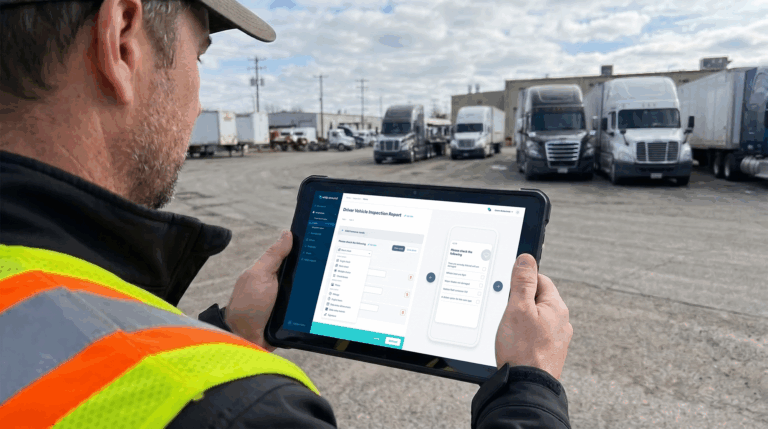
Pre-trip and post-trip inspections are required by the FMCSA for any commercial motor vehicle over 10,000 lbs GVWR. But inspections shouldn’t stop at DOT-regulated vehicles. Mowers, trailers, and heavy-duty equipment all benefit from structured daily checks that catch wear and damage before they become field failures.
Look for software that supports digital inspection forms customizable for any asset type, not just trucks. Drivers and operators should be able to complete inspections from a mobile app, attach photos to flagged items, and submit reports in real time. That way, your shop foreman or fleet manager sees issues the moment they’re reported, not the next morning. Whip Around’s inspection platform, for example, lets you build custom forms for any asset and automatically routes failed items into maintenance workflows.
2. Preventive Maintenance Scheduling Based on Mileage, Hours, or Time
Landscaping equipment wears based on use, not just calendar days. A commercial mower that runs 8 hours a day during peak season hits its service interval much faster than one running 2 hours. Your PM system needs to track engine hours and mileage, not just dates.
Good fleet maintenance software lets you set PM triggers by mileage, engine hours, calendar interval, or any combination. Automated reminders fire when a vehicle or piece of equipment is approaching its service window, so nothing slips through when your team is buried in seasonal work. Predictive maintenance programs that keep equipment on schedule can reduce fleet downtime by up to 45%, according to industry benchmarks.
3. Work Orders That Turn Reported Issues Into Repairs
There’s a gap in most maintenance systems: something gets flagged on an inspection, and then nothing happens. Either the report gets lost, the foreman never sees it, or the issue sits in a queue with no assigned owner and no deadline.
Look for software that automatically converts defects flagged during inspections into work orders. Each work order should capture what’s wrong, which asset it affects, who’s responsible for the repair, and what the current status is. That defect-to-work-order automation is what turns inspection data into actual maintenance action — and gives you a documented record of every repair, which matters for DOT compliance and warranty claims.
4. Asset Tracking for Vehicles, Trailers, Mowers, and Small Equipment
Landscaping companies lose time and money every week tracking down misplaced equipment. A trailer left at the wrong yard, a mower that went with the wrong crew, a piece of irrigation equipment that never made it back, these are real operational costs. Non-vehicle asset tracking lets you assign every piece of equipment to a location, crew, or job site and build an inspection and maintenance history for it, even if it has no GPS tracker.
This matters especially for small tools and attachments that are easy to overlook but expensive to replace. The right system tracks the full lifecycle of an asset — from initial assignment through every inspection, repair, and service event — so you always know what you have, where it is, and what shape it’s in.
5. GPS and Location Visibility for Crews and Equipment
GPS tracking gives you real-time location data for vehicles and equipment which is useful for dispatching, geofencing job sites, and verifying crew arrival times. Telematics platforms like Geotab, Samsara, and Motive all provide strong GPS and location capabilities for landscaping fleets.
Where GPS data becomes especially powerful is when it feeds directly into your maintenance workflows. Engine hours and mileage pulled from telematics automatically update PM schedules; fault codes from the vehicle’s OBD system generate work orders without anyone manually entering data. Whip Around integrates with telematics platforms like Geotab, Samsara, and Motive so that location and diagnostic data flows directly into your maintenance records — eliminating the manual data entry that causes gaps.
6. Parts and Inventory Management
Running out of the right oil filter, blade belt, or hydraulic fluid during peak season means downtime that’s entirely preventable. Parts and inventory management built into your maintenance software lets you track what’s on the shelf, set reorder thresholds, and tie parts usage to specific work orders.
This is especially useful for landscaping companies that maintain their own shop. When a technician closes a work order, they record which parts were used and at what cost. Over time, that data tells you which equipment eats parts fastest, where you’re overspending, and when to negotiate better pricing with suppliers.
7. Fuel and Usage Tracking
Fuel is one of the largest variable costs in any landscaping operation. Without tracking, it’s nearly invisible. You’re paying at the pump without a clear picture of which assets are burning the most, which routes are inefficient, or where idle time is eating into your margins.
GPS fleet tracking typically reduces idle time by 10 to 20%, according to industry benchmarks, and telematics-based fuel management software can reduce overall fuel costs by 10 to 15%. For a fleet running 20 or more vehicles through a full season, those percentages add up fast. Look for software that tracks fuel fills by asset, flags unusual consumption patterns, and integrates with fuel card providers if you use them.
8. Maintenance History and Reporting
Every repair, inspection, PM, and work order should build a documented history for each asset. That history is valuable in three ways: it helps you make informed decisions about when to retire aging equipment; it supports DOT compliance and audit readiness; and it gives you the data to spot trends — like a mower that’s been in the shop four times in a season — before they become budget problems. See how one landscaping company used structured maintenance records to stay ahead of DOT requirements in the Belknap Landscape case study.
Good fleet reporting software should let you filter by asset, date range, cost center, or crew — and export clean reports for ownership, accountants, or compliance audits. Don’t settle for software that buries your data inside the platform with no easy way to get it out.
9. Mobile Access for Field Crews, Mechanics, and Managers
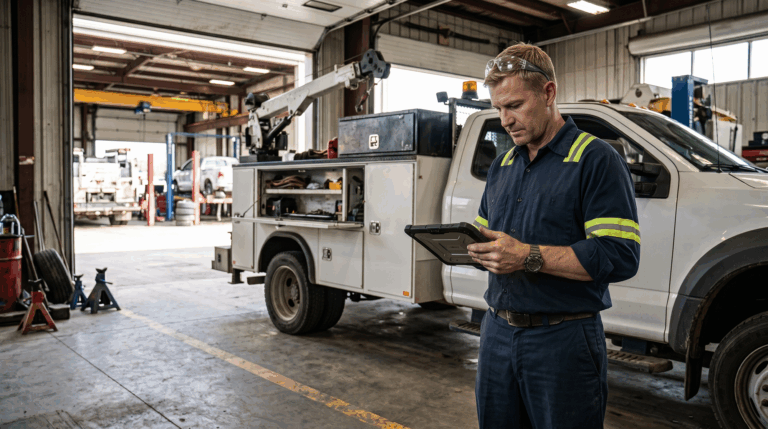
A fleet maintenance platform that only works at a desktop is a platform that field crews won’t use. Drivers need to complete inspections before they leave the yard. Mechanics need to update work orders from the shop floor. Managers need to see what’s open and what’s overdue from wherever they happen to be.
Mobile accessibility isn’t a nice-to-have, it’s the difference between a system that gets used and one that collects dust. The best landscaping fleet management software platforms are built mobile-first, with offline capability for crews working in areas with poor signal. Look for iOS and Android support, intuitive interfaces for operators who aren’t tech-savvy, and real-time sync so that what a driver flags in the field appears in the shop within seconds.
Common Mistakes Landscaping Companies Make With Fleet Maintenance
One of the most common mistakes is running a separate system for DOT vehicles and relying on paper or informal communication for everything else. The result is that mowers, trailers, and small equipment drift out of any maintenance structure entirely, and that’s usually where the most expensive, avoidable failures happen. Using a platform that handles all asset types in one place eliminates that blind spot.
A second common mistake is buying fleet management software based on GPS features alone. Telematics is valuable, but it doesn’t replace the inspection layer. Telematics tells you where a vehicle is and what the engine is doing. It doesn’t tell you that a driver noticed a cracked trailer hitch or that a mower blade is running out of tolerance. Those observations only get captured when there’s a structured inspection process on top of the telematics data.
Third: waiting until something breaks to document it. Reactive maintenance is the most expensive way to run a fleet. A consistent PM schedule, backed by a landscaping equipment checklist and digital inspection workflows, keeps your equipment running through peak season instead of sidelining it.
Finally, some operators choose the cheapest tool available without thinking about whether their team will actually use it. Adoption is everything. A sophisticated platform that your drivers and mechanics find confusing will generate worse outcomes than a simpler tool they use consistently. Prioritize ease of use, especially for the field-level team members who interact with the system daily.
A Better Maintenance System Starts With Visibility, Accountability, and Speed
Fleet maintenance for landscaping companies isn’t complicated in concept — keep equipment inspected, scheduled, and repaired before problems compound. The execution is what breaks down when your team is stretched thin, your assets are spread across multiple sites, and your current tools can’t keep up with the volume.
The best landscaping equipment management software gives you three things: visibility into what every asset needs, accountability through documented inspections and work orders, and speed to act before minor issues become costly failures. If you’re managing a mixed fleet of DOT vehicles and off-road equipment, look for a platform that handles all of it, not just the trucks. If you want to explore how AI is changing the way landscaping operators manage equipment, the guide on improving landscaping fleet management with AI is worth reading. And for building out your inspection process from scratch, checklists for your landscaping fleet gives you a practical starting point.
The gap between a fleet that keeps running and one that keeps breaking down often comes down to the system behind it, not the equipment itself.
Whip Around is built for fleets like yours: mixed assets, mobile crews, and real compliance requirements. Book a demo to see how landscaping companies use Whip Around to cut downtime, stay DOT-compliant, and keep every piece of equipment on a maintenance schedule.